

Forex Broker Guides
Exness Verification Process: Requirements and Security Setup
Learn document requirements, verification steps, and security features to protect your trading account.

Senior Forex Trader & Market Analyst
Daniel Chen is an experienced forex trader and financial market analyst with over 15 years of experience in currency trading. He specializes in technical analysis, risk management, and developing practical trading strategies to help traders make informed decisions.
Exness verification is a mandatory step for anyone who wants to trade with full account functionality. The process follows standard financial industry regulations designed to prevent fraud, money laundering, and unauthorized access. While some traders see it as a hurdle, it actually protects both the broker and the client by ensuring that funds move only between verified parties.
Contents
- 1. Why Exness Requires Account Verification
- 2. Exness Verification Requirements and Documents
- 3. Step-by-Step Verification Process
- 4. Exness KYC Levels and Account Limits
- 5. Two-Step Verification Setup
- 6. Verification Timeline and Common Issues
- 7. Security Features Beyond Verification
- 8. Verification for Different Account Types
- 9. Regional Verification Differences
- 10. Troubleshooting Verification Problems
- 11. Verification and Withdrawal Access
- 12. Maintaining Verified Status
- 13. Exness Verification Compared to Other Brokers
- 14. Final Assessment of Exness Verification Process
The verification requirements at Exness align with what most regulated brokers ask for: proof of identity and proof of address. What differs is the speed. Exness has invested heavily in automated document review, which means many accounts get approved within minutes rather than days. The system also integrates with the Exness mobile app, letting you upload photos directly from your phone without switching devices.
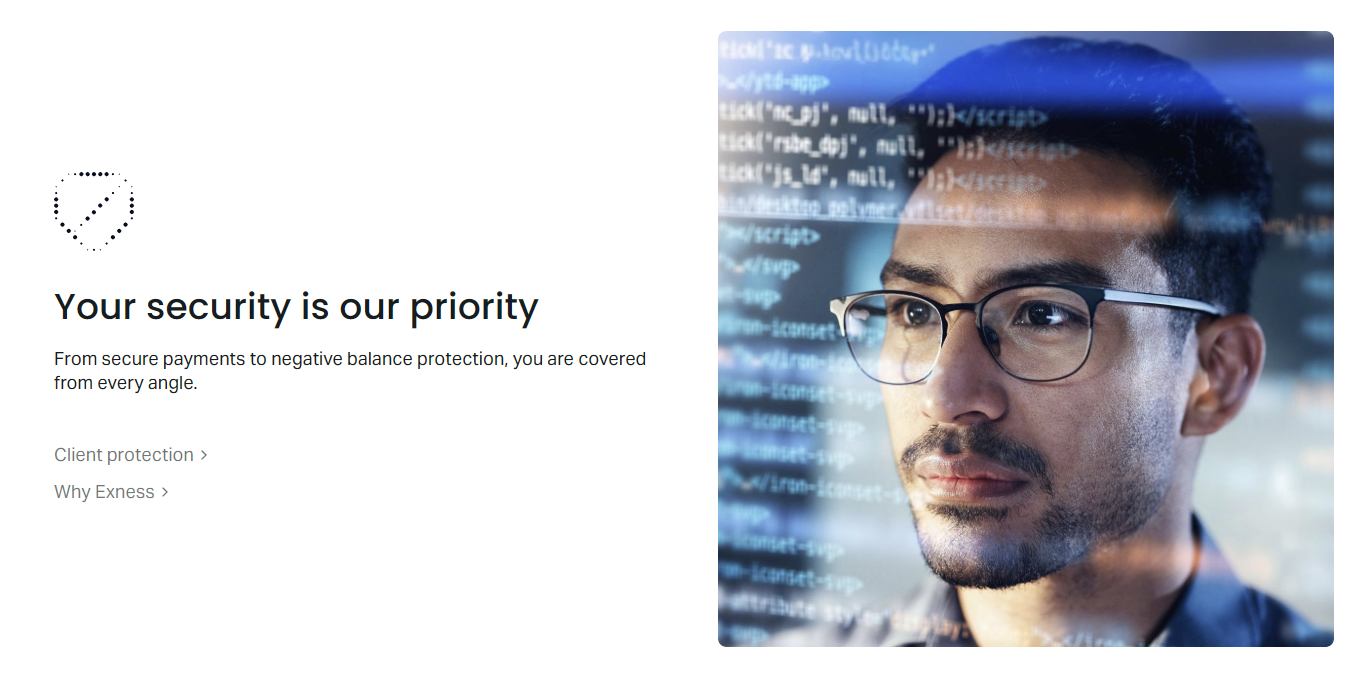
Two-step verification adds another layer that operates independently from the KYC process. Even after your identity is confirmed, 2FA prevents anyone who obtains your password from accessing the account. Exness supports authenticator apps and SMS codes, with the app-based method being more secure against SIM-swap attacks. This guide covers both processes in detail, along with common issues and how to resolve them.
Why Exness Requires Account Verification
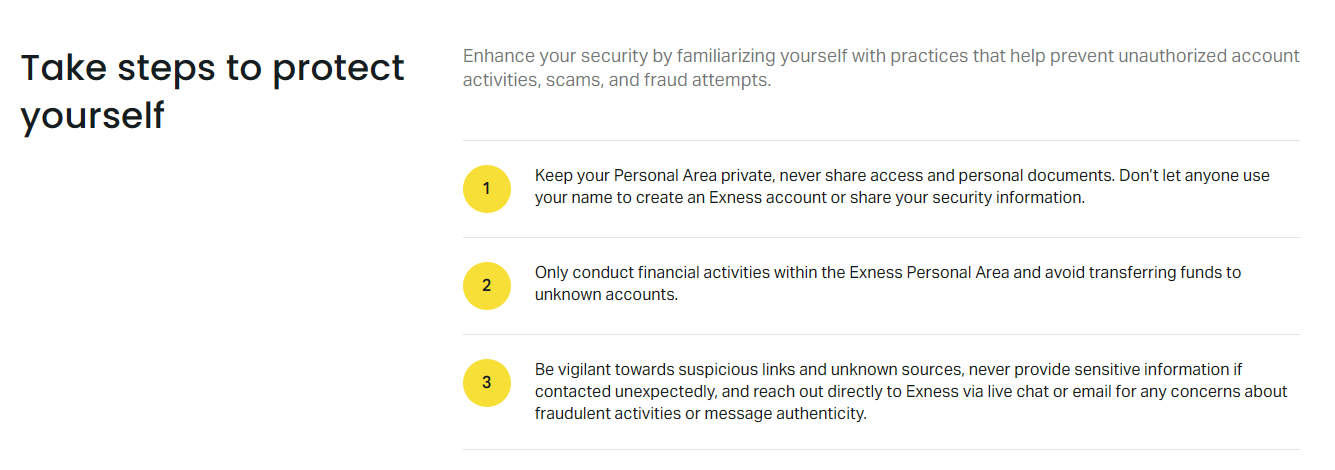
Financial regulators in multiple jurisdictions require brokers to know their customers. Exness holds licenses from bodies including the FCA in the UK, CySEC in Cyprus, and the FSCA in South Africa. Each regulator enforces anti-money laundering rules that make anonymous trading impossible. Without verification, a broker cannot legally process withdrawals or offer full leverage.
Beyond compliance, verification protects you. If someone gains access to your login credentials, they cannot withdraw funds to an unverified destination. The system locks withdrawals to payment methods registered in your name. This means even a compromised account has limited damage potential. The verification record also helps resolve disputes faster because ownership is already established.
Exness Verification Requirements and Documents
The document list is straightforward but the details matter. Exness accepts specific document types and rejects others for quality or validity reasons. Knowing the exact requirements before you start saves back-and-forth delays.
- Valid government-issued photo ID: passport, national ID card, or driver's license. The document must show full name, date of birth, photo, and expiration date. Expired documents are rejected.
- Proof of address issued within the last three months: utility bill (electricity, water, gas), bank statement, or government correspondence. Mobile phone bills are often rejected. The address must match your registered profile.
- Selfie with ID for enhanced verification: required in some regions or when automated checks flag inconsistencies. Hold your ID next to your face in a well-lit photo. The text must be readable.
- Payment method verification: screenshot or photo showing you own the deposit method. For cards, show the first six and last four digits with the name visible. For e-wallets, show the account email or ID.
Document quality is the most common rejection reason. Blurry photos, glare on laminated IDs, cropped edges, and files over the size limit all trigger manual review. Use natural light, place the document on a dark surface, and ensure all four corners are visible. The Exness app includes a built-in camera guide that helps frame the shot correctly.
Step-by-Step Verification Process
The workflow differs slightly between the web Personal Area and the mobile app, but the stages are identical. Start by logging into your Exness Personal Area. The verification banner appears at the top if your account is not yet fully verified.
- Click the verification prompt or navigate to Settings > Verification. The system shows which documents are missing.
- Select document type for identity proof. Upload a clear photo or PDF. The system runs an automated check immediately.
- Select document type for address proof. Upload the file. Automated check runs again.
- If prompted, complete the selfie verification. Follow the on-screen oval guide for face positioning.
- Submit payment method proof if you have already deposited. This step can be done later but speeds up withdrawals.
- Wait for the status update. Most approvals happen within 15 minutes. Complex cases may take up to 24 hours.
- Check email and in-app notifications for the result. Rejected documents show a specific reason code.
The mobile app streamlines this with camera integration. Tap the verification section, choose camera or gallery, and the app auto-crops and enhances the image. It also validates readability before upload, reducing rejection rates. I recommend the app for first-time verification because the guided capture prevents the most common errors.
Exness KYC Levels and Account Limits
Exness uses a tiered KYC system. Each level unlocks higher limits and more features. The levels are not marketing tiers — they reflect regulatory thresholds for transaction monitoring. Understanding where you sit helps plan deposits and withdrawals.
Scroll horizontally to see all columns
| KYC Level | Requirements | Deposit Limit | Withdrawal Limit | Trading Access |
|---|---|---|---|---|
| Level 1 - Basic | Email + phone verified | $2,000 lifetime | Not available | Demo only |
| Level 2 - Identity Verified | Valid ID document | Unlimited | Up to deposited amount | Full trading |
| Level 3 - Address Verified | ID + proof of address | Unlimited | Unlimited | Full trading + higher leverage |
| Level 4 - Enhanced | All above + selfie + source of funds | Unlimited | Unlimited | All features + priority support |
Most retail traders only need Level 3. Level 4 triggers for high-volume accounts or when regulatory thresholds are crossed. The system upgrades you automatically when you submit the required documents. There is no separate application. If you hit a limit, the Personal Area shows exactly which document is missing for the next level.
Two-Step Verification Setup
Two-step verification (2FA) is separate from KYC. You can enable it before or after identity verification. Exness offers two methods: authenticator app (TOTP) and SMS codes. The authenticator app is stronger because it works offline and cannot be intercepted by SIM swapping. Google Authenticator, Authy, and Microsoft Authenticator all work.
To enable 2FA, go to Settings > Security > Two-Factor Authentication. Choose your method. For authenticator apps, scan the QR code or enter the manual key. The app generates a six-digit code that refreshes every 30 seconds. Enter the current code to confirm. Save the backup codes shown on screen — they are the only way back in if you lose your phone. SMS setup is similar but sends a code to your registered number each login.
Once 2FA is active, every login requires the code. The Exness mobile app can use biometrics (fingerprint or Face ID) as a second factor instead of typing codes. This is convenient but technically counts as device trust rather than true 2FA. For maximum security, keep the authenticator app active even when using biometrics.
Verification Timeline and Common Issues
Automated verification typically completes in under 15 minutes. Manual review kicks in when the system cannot read a document, detects a mismatch, or flags a high-risk jurisdiction. Manual reviews take up to 24 hours during business days. Weekends and holidays add delay because the compliance team operates on reduced hours.
- Document expired: renew the ID or use a valid alternative. No exceptions.
- Address mismatch: the proof of address must match the residential address in your profile exactly. Update the profile first if you moved.
- Blurry or cropped image: retake with better lighting. Use the app camera guide.
- Name discrepancy: middle names, transliteration differences, or married names must match across all documents. Provide a marriage certificate or deed poll if needed.
- Unsupported document type: some national IDs are not accepted in certain regions. Check the Exness help center for your country's accepted list.
- Payment method name mismatch: the deposit method must be in your name. Joint accounts require additional verification.
If a document is rejected, the notification includes a code like KYC-003 or ADDR-001. These map to specific reasons in the help center. Do not just re-upload the same file. Fix the issue first. Support can clarify codes but cannot override compliance rules.
Security Features Beyond Verification
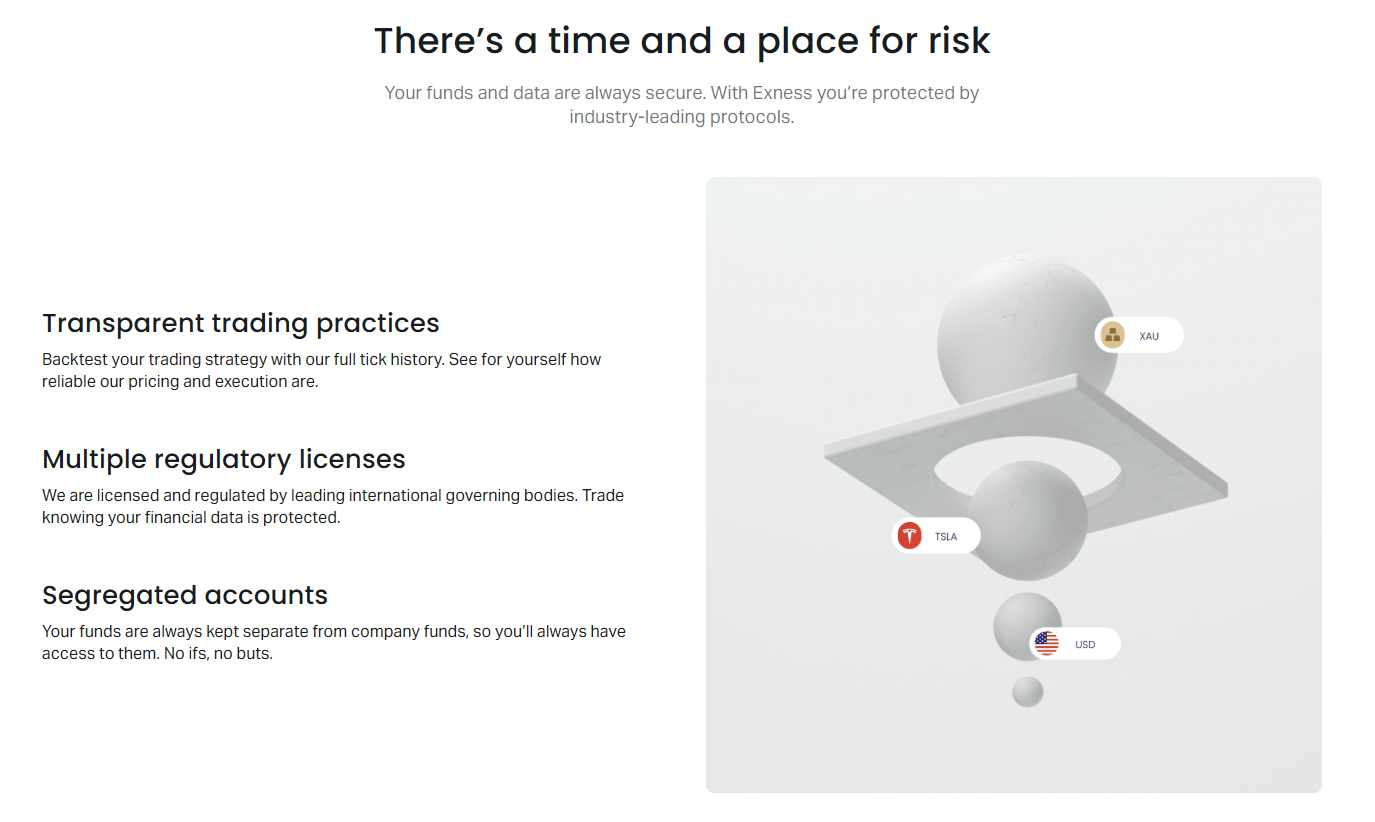
Exness layers several security controls that work alongside verification. Device management lets you see every active session and revoke access remotely. Login history shows IP, location, device, and time for each entry. Withdrawal confirmations require email or SMS approval for new destinations. These features reduce the impact of credential theft even if 2FA is somehow bypassed.
The platform also monitors for unusual patterns: login from a new country, password change followed by withdrawal request, or API key creation from an unknown IP. These trigger temporary holds and notification emails. You can whitelist trusted IPs in the API settings if you use automated trading. The security dashboard aggregates all this in one view, accessible from both web and app.
Verification for Different Account Types
Standard, Pro, Raw Spread, and Zero accounts all follow the same verification path. The account type does not change document requirements. However, professional clients (those who qualify under MiFID II or equivalent) may need additional proof of experience or portfolio size. This is a regulatory classification, not an Exness policy.
Scroll horizontally to see all columns
| Account Type | KYC Required | Enhanced KYC Trigger | Leverage After Verification |
|---|---|---|---|
| Standard Cent | Yes | High volume or corporate | Up to 1:2000 |
| Standard | Yes | High volume or corporate | Up to 1:2000 |
| Pro | Yes | High volume or corporate | Up to 1:2000 |
| Raw Spread | Yes | High volume or corporate | Up to 1:2000 |
| Zero | Yes | High volume or corporate | Up to 1:2000 |
| Professional (qualified) | Yes + experience proof | Automatic at qualification | Up to 1:2000 |
Islamic (swap-free) accounts have identical verification. The only difference is the account agreement includes a declaration of no swap usage. Demo accounts require no verification at all — they run on virtual funds. You can open multiple demo accounts to test platforms before committing to the KYC process.
Regional Verification Differences
Exness operates under multiple licenses, and the applicable regulator depends on your country of residence. The core documents stay the same, but some regions require extra steps or accept different address proofs.
- EU/UK (CySEC/FCA): Strictest standards. Selfie verification often mandatory. Source of funds declaration for deposits over €15,000. Address proof must be from an EU/UK institution.
- South Africa (FSCA): Accepts South African ID card and utility bills. Bank statements from local banks preferred. FICA compliance adds a one-time questionnaire.
- Southeast Asia (various): National IDs accepted. Some countries require in-app selfie with liveness check. Local payment methods (e.g., GCash, Dana) need screenshot verification.
- Latin America: Passport or national ID. Address proof can be a bank statement from a local bank. Some countries require tax ID (CPF, RFC, CUIT) in profile.
- Middle East: Passport and national ID (Emirates ID, Iqama). Utility bills in Arabic accepted. PO box addresses not valid for residential proof.
The Exness website detects your location and shows the relevant document list. If you travel or relocate, update your residence in the profile. The system may re-trigger verification for the new jurisdiction. This is normal and usually faster than the initial process because your identity is already on file.
Troubleshooting Verification Problems
Most verification problems fall into a few categories. The fastest fix is usually re-uploading a better image. If the automated system rejects repeatedly, request manual review through support. Provide the ticket with clear photos and a brief explanation of what you corrected.
If support requests a video call for enhanced verification, schedule it promptly. These calls are brief — usually under five minutes. Have your original documents ready. The agent compares the live image to your uploaded photos. This is standard for high-value accounts or when document authenticity is uncertain. It is not an interview about your trading strategy.
Verification and Withdrawal Access
Withdrawal restrictions are the practical reason most traders complete verification. Unverified accounts cannot withdraw at all. Level 2 (identity only) allows withdrawals up to the total deposited amount. Level 3 (address verified) removes the cap. This tiered approach limits exposure if an account is compromised before full verification.
The withdrawal cap at Level 2 is a safety feature, not a punishment. It ensures that even if someone verifies identity with stolen documents, they cannot drain large sums without address confirmation.
Payment method verification adds another checkpoint. Exness requires withdrawals to return to the original deposit method when possible. If you deposited by card, withdrawals go back to that card. If you used multiple methods, the system allocates proportionally. New withdrawal destinations require email confirmation and sometimes support approval. This prevents a hacker from adding their own wallet and draining the account.
Maintaining Verified Status
Verification is not permanent. Documents expire. Addresses change. Regulations update. Exness monitors these and will request re-verification when needed. You typically get 30 days notice before a restriction applies. Ignoring the request leads to suspended withdrawals and eventually suspended trading.
The re-verification process is faster than the initial one. The system pre-fills your data. You only upload the updated document. If nothing changed but a regulator requires a fresh check, you may just confirm the existing data. Keep digital copies of your current documents in a secure cloud folder so you can respond quickly.
Exness Verification Compared to Other Brokers
The document requirements are industry standard. Where Exness differs is automation speed and mobile integration. Many brokers still rely on manual review for every document, leading to 24-48 hour waits. Exness's automated engine handles the majority instantly. The mobile app camera guide is also uncommon — most brokers leave you to figure out photo quality alone.
Two-factor authentication options are comparable across major brokers. Authenticator apps, SMS, and email codes are standard. Exness adds biometric login on mobile, which some competitors reserve for their proprietary platforms only. The device management dashboard is more detailed than average, showing not just active sessions but also API keys and trusted IPs in one view.
One area where Exness is stricter: payment method verification. Some brokers allow withdrawals to any verified method once KYC is done. Exness enforces the return-to-source rule more rigidly. This adds friction when you switch payment methods but significantly reduces fraud risk. For most traders, the trade-off favors security.
Frequently Asked Questions
How long does Exness verification take?
Automated verification usually completes within 15 minutes. Manual review can take up to 24 hours on business days. Weekends and holidays may add delay.
Can I trade before verification is complete?
You can deposit and trade on a demo account immediately. Live trading with real funds requires at least Level 2 verification (identity document). Withdrawals are blocked until verification finishes.
What documents are accepted for proof of address?
Utility bills (electricity, water, gas), bank statements, or government letters issued within the last three months. Mobile phone bills and insurance documents are often rejected. The address must match your profile exactly.
Is two-step verification mandatory?
No, but it is strongly recommended. Without 2FA, your account relies solely on password security. Enabling authenticator app 2FA takes under two minutes and blocks unauthorized logins even if your password is compromised.
Why was my document rejected?
Common reasons: expired document, blurry photo, cropped edges, name mismatch with profile, unsupported document type, or file size over the limit. The rejection notification includes a code that maps to a specific reason in the help center.
Do I need to verify again if I change my phone number?
Changing your phone number requires SMS confirmation on the new number. It does not trigger full re-verification unless you also change your registered address or legal name.
Can I use a PO box for address verification?
No. Exness requires a residential address. PO boxes, mail forwarding services, and commercial addresses are rejected for proof of address. Use a utility bill or bank statement showing your physical residence.
What happens if I lose access to my 2FA device?
Use the backup codes provided during 2FA setup. If you lost those too, contact support for account recovery. You will need to complete identity verification again to prove ownership.
Final Assessment of Exness Verification Process
Exness verification works as intended: it satisfies regulators, protects clients, and stays out of the way once done. The automated engine handles routine cases in minutes. The mobile app removes the guesswork from document photos. Two-factor authentication is easy to enable and supports the stronger authenticator-app method. The tiered KYC levels make sense — you only provide what your activity level requires.
The main friction points are document quality and regional nuances. Traders who upload clear, valid documents on the first try rarely wait more than 15 minutes. Those with expired IDs, mismatched names, or unsupported address proofs face delays that no broker can bypass. The return-to-source withdrawal rule adds a step when switching payment methods but prevents a whole class of fraud. For a broker handling high volume across many jurisdictions, this balance is reasonable.
If you plan to trade with Exness, complete verification before you need to withdraw. Do it on the mobile app using the camera guide. Enable authenticator-app 2FA immediately after. Save your backup codes offline. Keep digital copies of your ID and a recent utility bill for quick re-verification. That is the entire process — straightforward, secure, and once done, largely invisible.