

Trading Platforms
Exness Social Trading App: Copy Trading Features and Setup
A practical guide to copying trades, choosing providers, and managing risk on the Exness platform.

Senior Forex Trader & Market Analyst
Daniel Chen is an experienced forex trader and financial market analyst with over 15 years of experience in currency trading. He specializes in technical analysis, risk management, and developing practical trading strategies to help traders make informed decisions.
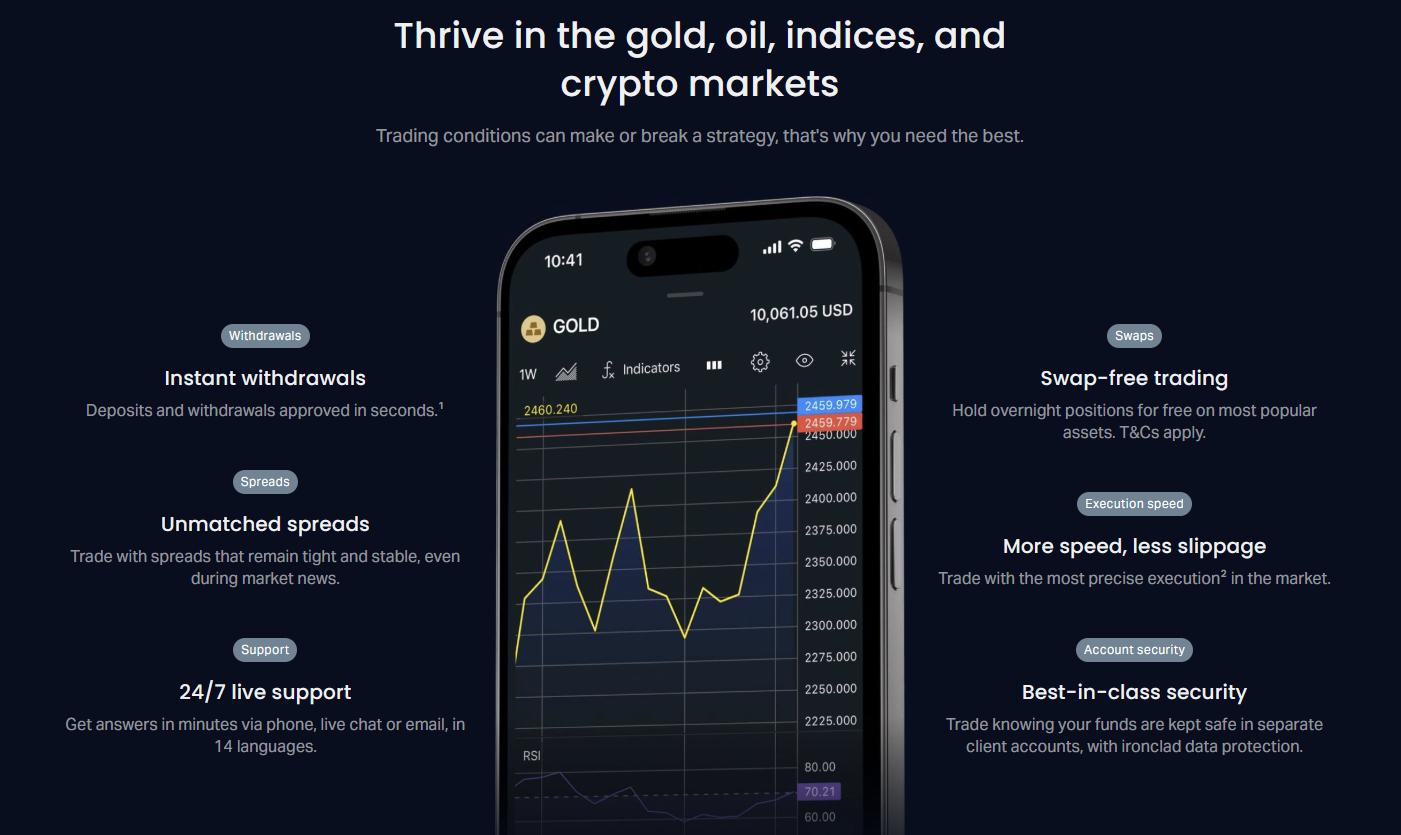
The Exness social trading app brings copy trading to mobile devices, letting users replicate the positions of experienced strategy providers without needing to analyze markets themselves. The concept is straightforward: you browse a leaderboard of traders, review their historical performance, and allocate funds to copy their future trades automatically. Exness integrates this functionality into its broader ecosystem, so copied positions execute on the same pricing and execution engine used for manual trading.
Contents
- 1. How Exness Social Trading Works
- 2. Evaluating Strategy Providers
- 3. Risk Management Tools in the App
- 4. Fees and Cost Structure
- 5. Account Types and Eligibility
- 6. Mobile Experience and Usability
- 7. Security and Regulation Context
- 8. Social Trading vs Manual Trading on Exness
- 9. Common Pitfalls to Avoid
- 10. Getting Started Step by Step
- 11. Provider Perspective: Becoming a Strategy Provider
- 12. Final Assessment of Exness Social Trading App
Social trading has grown because it lowers the barrier to participation. Newer traders can observe how professionals manage risk, size positions, and react to news events. At the same time, successful traders earn additional income through commission sharing. The Exness implementation sits alongside the standard MetaTrader 4, MetaTrader 5, and proprietary web terminal offerings, giving users a choice between full manual control and a more hands-off approach.
This article walks through how the app works, what to look for when selecting a strategy provider, the risk controls available, and the practical steps to get started. It also covers fees, mobile usability, and how the social trading feature compares to the broker's other platforms.
How Exness Social Trading Works
The app connects investors with strategy providers through a marketplace. Providers link their live trading accounts to the platform, making their trade history visible. Investors browse profiles, apply filters, and choose one or more providers to copy. Once linked, every trade the provider opens, modifies, or closes replicates proportionally in the investor's account based on the allocated amount.
Copying happens in near real time. When a provider buys EURUSD at 1.0850 with a 0.5 lot position, the investor's account executes the same trade scaled to their allocation. If the investor allocated $1,000 to a provider with $10,000 equity, the copy ratio is 1:10, so the investor receives a 0.05 lot position. The platform handles the math automatically.
Investors can pause copying, adjust allocation, or stop entirely at any time. Open copied positions remain open until the provider closes them or the investor manually closes them in their own terminal. This flexibility matters because market conditions change, and a strategy that performed well in trending markets may struggle in ranging conditions.
The app separates the investor experience from the provider experience. Providers see their own trading statistics, follower count, and commission earnings. Investors see a curated list of providers with filters for return, risk score, drawdown, and trading frequency. Both sides use the same Exness login credentials tied to the Personal Area.
Evaluating Strategy Providers
Choosing a provider is the most consequential decision. The app surfaces several metrics, but not all are equally useful. Total return looks impressive but hides the path taken to achieve it. A provider with 200% return over two years who suffered a 60% drawdown along the way may be too volatile for conservative investors.
Focus on risk-adjusted metrics. The Sharpe ratio, maximum drawdown, and recovery factor tell you more about consistency than raw returns. The app assigns a risk score from 1 to 10 based on volatility, leverage usage, and drawdown history. Lower scores indicate steadier equity curves.
- Maximum drawdown: peak-to-trough decline, lower is better
- Recovery factor: net profit divided by max drawdown, higher shows faster recovery
- Profit factor: gross profit divided by gross loss, above 1.5 suggests edge
- Average trade duration: scalpers hold minutes, swing traders hold days
- Number of trades: more trades provide statistical significance
Look at the equity curve chart, not just the summary numbers. A smooth upward slope with small, frequent drawdowns is preferable to a jagged line with deep valleys. Check whether the provider trades during high-impact news events. Some strategies avoid news entirely; others specialize in it. Neither is wrong, but the approach should match your tolerance.
Scroll horizontally to see all columns
| Metric | Conservative Target | Aggressive Target |
|---|---|---|
| Max Drawdown | < 15% | < 30% |
| Risk Score | 1-3 | 4-6 |
| Profit Factor | > 1.5 | > 1.2 |
| Min Trade History | 12 months | 6 months |
| Followers | > 50 | > 10 |
A provider with a 90% win rate but no stop losses is a time bomb. The few losing trades will erase months of gains.
Diversification across multiple providers reduces single-strategy risk. The app allows copying several providers simultaneously with different allocations. A balanced approach might combine a low-risk trend follower, a mean-reversion specialist, and a news-based trader. Correlations matter: copying three trend followers offers little diversification if all go long EURUSD at the same time.
Risk Management Tools in the App
The platform includes several layers of risk control. At the account level, investors set a maximum total allocation to social trading, preventing overexposure. At the provider level, a stop-copy loss feature automatically pauses copying if the provider's drawdown exceeds a threshold you define. This acts as a circuit breaker.
Investors can also set a daily loss limit for copied trades. If copied positions lose more than the specified amount in a single day, the platform stops opening new copied trades until the next session. Existing positions remain open unless manually closed. This prevents a single bad day from cascading.
Margin requirements for copied trades follow the same rules as manual trades. If the provider uses high leverage, the copied positions consume margin proportionally. Investors should monitor free margin, especially when copying multiple providers who may open correlated positions simultaneously. The app shows real-time margin usage in the portfolio view.
One limitation: the app does not currently support custom risk multipliers. You cannot tell the platform to copy at half the provider's risk or double it. The copy ratio is strictly determined by allocation versus provider equity. Some competitors offer this flexibility, which allows fine-tuning exposure without changing allocation amounts.
Fees and Cost Structure
Costs come from two sources: the spread and commission on each copied trade, plus any performance fee the provider charges. Exness does not add a platform fee for social trading. The spreads and commissions match the investor's account type — Standard, Pro, Raw Spread, or Zero. Providers set their own performance fee, typically a percentage of profitable copied trades, deducted automatically.
Performance fees only apply to net profitable periods. If a provider generates $500 in copied profits for you in a month and charges a 20% performance fee, $100 goes to the provider. If the next month shows a net loss, no fee is charged, and the provider must recover the loss before fees resume. This high-water-mark approach aligns incentives.
Scroll horizontally to see all columns
| Cost Component | Who Pays | When Applied |
|---|---|---|
| Spread | Investor | Every trade |
| Commission | Investor | Per lot (Raw/Zero accounts) |
| Performance Fee | Investor | Monthly on net profits |
| Swap | Investor | Overnight positions |
Swap charges apply to copied positions held overnight, just like manual trades. Some providers close all positions daily to avoid swaps; others hold for weeks. Check the provider's average hold time. If you copy a swing trader on a Standard account, swap costs can accumulate. Raw Spread and Zero accounts have lower swaps but charge commission per lot.
Account Types and Eligibility
Social trading works with most Exness account types. Standard and Standard Cent accounts offer market execution with no commission, suitable for smaller allocations. Pro, Raw Spread, and Zero accounts provide tighter spreads with commission, better for larger allocations where spread savings outweigh commission costs. Islamic swap-free accounts are also compatible.
Minimum deposit requirements follow the chosen account type. A Standard Cent account starts at $1, making it accessible for testing with minimal capital. However, copying with very small allocations can produce rounding issues where the copy ratio yields position sizes below the minimum lot step. The platform handles this by skipping trades that would result in sub-minimum lots, but this creates tracking error.
- Standard Cent: $1 minimum, no commission, wider spreads
- Standard: $10 minimum, no commission, market execution
- Pro: $200 minimum, low spreads, no commission
- Raw Spread: $200 minimum, near-zero spreads, commission per lot
- Zero: $200 minimum, zero spreads on top pairs, commission per lot
Verification is required before activating social trading. The KYC process — identity document, proof of address, and sometimes source of funds — must be complete in the Personal Area. This applies to both investors and providers. Unverified accounts can browse but cannot allocate funds or publish strategies.
Mobile Experience and Usability
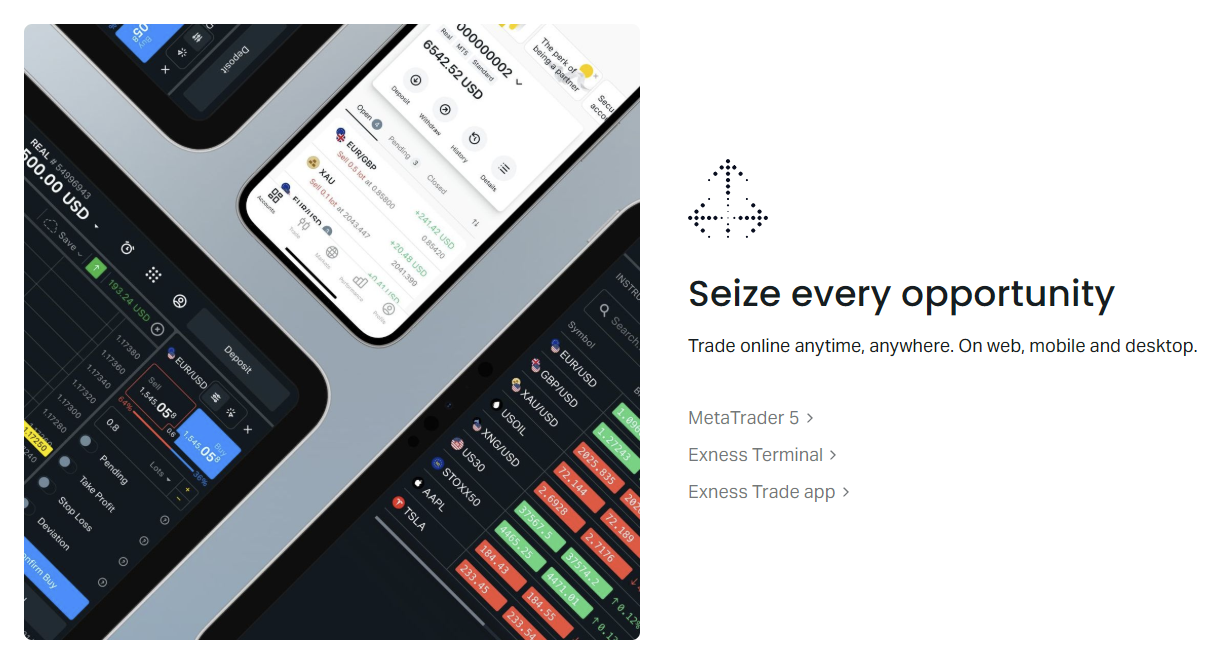
The Exness app is available on iOS and Android with feature parity. The social trading section loads provider profiles, equity charts, and allocation controls in a clean interface. Navigation uses a bottom tab bar: Home, Markets, Social, Portfolio, and More. The Social tab opens directly to the provider marketplace with filter controls at the top.
Provider profiles display a summary card with key metrics, a tappable equity curve chart, trade history, and an Allocate button. The chart supports timeframe selection from 1 month to all time. Pinch-to-zoom works on charts. The allocation screen lets you enter an amount, see the estimated copy ratio, and review risk warnings before confirming.
Push notifications alert you when a provider opens or closes a trade, when stop-copy loss triggers, or when daily loss limits approach. Notification granularity is adjustable per provider. The app also supports biometric login and two-factor authentication for security.
The mobile app feels purpose-built, not a wrapped web view. Charts render smoothly and allocation flows are intuitive.
One area for improvement: the provider comparison tool. You can view providers side by side only by opening multiple tabs in the browser version. The mobile app shows one provider at a time. For serious selection work, the web portal in the Personal Area offers a better multi-provider view with sortable columns.
Security and Regulation Context
Exness operates under multiple regulatory licenses including CySEC in Cyprus, FCA in the UK, FSCA in South Africa, and others. Client funds are segregated from company funds. The social trading feature does not change the regulatory status of your account — copied trades execute on the same regulated infrastructure.
Provider accounts are also verified Exness accounts. The platform does not allow anonymous or unverified traders to publish strategies. This reduces the risk of fraudulent track records, though it does not eliminate the risk of a provider changing strategy after gaining followers.
Data privacy follows GDPR and similar frameworks. The app collects trading analytics, device information, and usage patterns. Provider performance data is visible to all app users by design — this is the core of social trading. Investors can choose whether their own copied performance appears in public rankings.
Social Trading vs Manual Trading on Exness
The broker offers multiple ways to trade: MetaTrader 4, MetaTrader 5, the proprietary web terminal, and the mobile app with social trading. Each serves a different user profile. Manual trading on MT4/MT5 gives full control over analysis, execution, and automation via Expert Advisors. The web terminal adds browser-based access without installation. Social trading removes the analysis burden but adds provider risk.
Scroll horizontally to see all columns
| Aspect | Manual MT4/MT5 | Web Terminal | Social Trading |
|---|---|---|---|
| Analysis Required | Full | Full | Provider Selection Only |
| Execution Control | Complete | Complete | Automatic Copy |
| Automation | EAs, Scripts | Limited | Provider-Driven |
| Learning Curve | Steep | Moderate | Low |
| Time Commitment | High | High | Low |
Many users combine approaches. A common pattern: trade manually on a primary account while allocating a portion to social trading for diversification. The Personal Area manages all accounts under one login, making transfers between accounts instant and free. This flexibility is a strength of the Exness ecosystem.
Social trading is not a replacement for learning. It's a tool that works best when you understand what the provider is doing.
Common Pitfalls to Avoid
Chasing recent returns is the most frequent mistake. A provider who gained 50% last month often sits at the top of the leaderboard, attracting new followers. But that performance may come from a lucky streak, excessive leverage, or a market regime that has already shifted. Always check the full history, not just the recent window.
Over-concentration in a single provider creates key-person risk. If that provider stops trading, changes strategy, or blows up, your allocation suffers. The platform makes it easy to diversify across 5-10 providers with different styles. Use that capability.
- Allocating based on 30-day returns alone
- Ignoring maximum drawdown history
- Copying providers with incompatible risk profiles
- Setting allocation too high for account size
- Disabling stop-copy loss to avoid missing recovery
- Not monitoring correlation between providers
Another pitfall: treating social trading as passive income with no oversight. Markets evolve. A strategy that worked in 2022 may fail in 2024. Review your provider lineup quarterly. Check whether each provider still trades the same way, whether their risk score has drifted, and whether their follower count has exploded (which can degrade execution quality for large positions).
Getting Started Step by Step
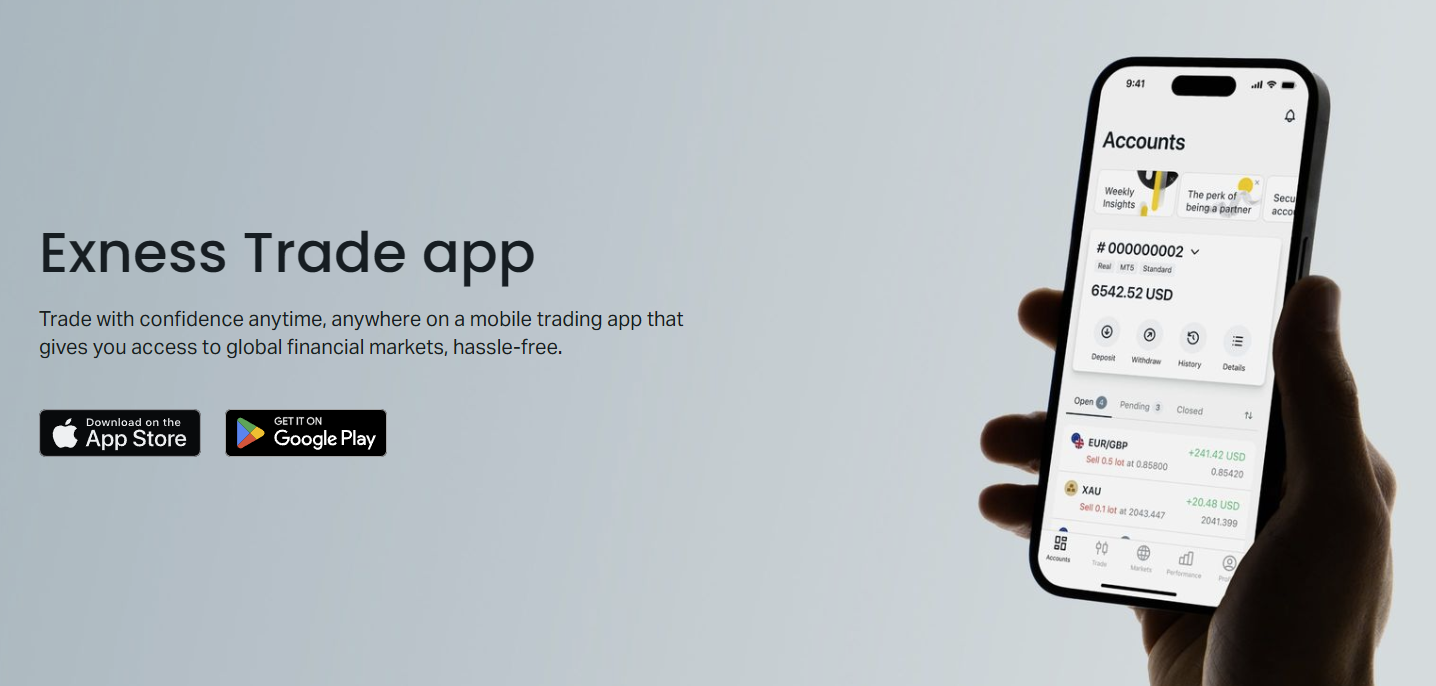
The onboarding flow is straightforward. Download the Exness app from the App Store or Google Play. Log in with your Exness credentials or create an account through the app. Complete verification if not already done. Navigate to the Social tab. Use filters to narrow providers by risk score, return, drawdown, and asset class.
Tap a provider to view their full profile. Examine the equity curve, trade history, and risk metrics. When ready, tap Allocate. Enter the amount from your wallet balance. The app shows the estimated copy ratio and asks for confirmation. After confirming, the allocation appears in your Portfolio tab with real-time P&L.
- Download and log into Exness app
- Complete KYC verification
- Open Social tab and apply filters
- Review 3-5 provider profiles thoroughly
- Allocate test amount to 2-3 providers
- Monitor for 2-4 weeks before scaling
- Set stop-copy loss on each provider
- Enable push notifications for alerts
Start with a small test allocation across two or three providers. Watch how the copying behaves during different market sessions — Asian range, London open, New York volatility. Observe slippage, execution speed, and whether the provider's trades replicate cleanly. Only increase allocation after you're comfortable with the mechanics.
Funding the allocation uses your Exness wallet. Transfers between wallet and trading accounts are instant. You can withdraw unused wallet funds at any time. Copied positions use margin from the allocated trading account. If you need to free up margin, you can pause copying or reduce allocation, which stops new trades but leaves existing positions open.
Provider Perspective: Becoming a Strategy Provider
Experienced traders can apply to become strategy providers. The requirements include a verified Exness account, a minimum trading history (typically 3 months), and a clean compliance record. Once approved, the provider links a trading account to the social platform. All trades on that account become visible and copyable.
Providers earn performance fees set by them, typically 10-30% of follower profits. The platform handles fee calculation, collection, and payout automatically. Providers see a dashboard with follower count, assets under management, commission earned, and their own trading statistics. They cannot see individual follower identities, only aggregate data.
Providers must maintain consistent trading behavior. Sudden strategy shifts — like moving from swing trading to high-frequency scalping — trigger a platform review and may notify followers. This transparency protects investors but also means providers cannot easily pivot without reputation consequences.
Final Assessment of Exness Social Trading App
The Exness social trading app delivers a functional, well-integrated copy trading experience. Its strengths lie in the seamless connection to the broader Exness ecosystem — same pricing, same execution, same regulatory framework, same wallet. The mobile interface is polished, provider data is transparent, and risk controls are practical if not exhaustive.
The main limitations are the lack of custom risk multipliers, limited provider comparison on mobile, and no built-in portfolio optimization tools. Investors who want fine-grained control over copy ratios or advanced correlation analysis will need to supplement with external spreadsheets. For most users, however, the built-in controls are sufficient.
It's a solid implementation that respects the core promise: copy trades automatically, manage risk manually.
Costs are competitive because they mirror the underlying account type. A Raw Spread account investor pays raw spreads plus commission plus the provider's performance fee — no platform markup. This transparency is not universal in the social trading space. The high-water-mark fee structure also ensures providers only profit when followers profit.
For someone new to trading who wants market exposure without years of study, the app offers a legitimate path — provided they treat provider selection with the same rigor they would apply to any financial decision. For experienced traders, it adds a diversification channel. The key is remembering that past performance does not guarantee future results, and no risk control can eliminate market risk.
Frequently Asked Questions
What is the minimum amount to start copying on Exness social trading?
The minimum depends on your account type. Standard Cent accounts start at $1, but practical minimums are higher to avoid rounding errors. Most investors start with $100-500 across multiple providers.
Can I manually close a copied trade without stopping the provider?
Yes. Open copied positions appear in your trading terminal and can be closed manually at any time. This does not affect future copied trades from the same provider.
How are performance fees calculated and charged?
Performance fees are a percentage of net profits on copied trades, calculated monthly with a high-water mark. Fees are deducted automatically from your trading account balance.
What happens if a provider I'm copying blows their account?
Your copied positions will reflect the provider's losses proportionally. Stop-copy loss triggers can pause copying at a defined drawdown level, but existing positions remain open until closed by the provider or you.
Can I copy multiple providers at the same time?
Yes. The app supports simultaneous copying of multiple providers with independent allocations. Each provider's trades copy independently based on their own copy ratio.
Is social trading available on MetaTrader 4 or 5?
Social trading is only available through the Exness mobile app and the Personal Area web portal. It does not integrate with MT4 or MT5 as an Expert Advisor or signal service.
How do I stop copying a provider completely?
Go to the Portfolio tab, select the provider, and choose Stop Copying. You can choose to keep or close existing copied positions. Allocation returns to your wallet.