

Forex Trading Platforms
Exness Trading Platforms: MT4, MT5, Web Terminal, and Mobile Apps
Compare features, execution, tools, and choose the right platform for your trading style.

Senior Forex Trader & Market Analyst
Daniel Chen is an experienced forex trader and financial market analyst with over 15 years of experience in currency trading. He specializes in technical analysis, risk management, and developing practical trading strategies to help traders make informed decisions.
Exness offers several trading platforms designed for different experience levels and trading styles. The broker supports the industry-standard MetaTrader 4 and MetaTrader 5, a proprietary browser-based Web Terminal, mobile applications for iOS and Android, and integration with TradingView for advanced charting. Each platform connects to the same pricing engine and account infrastructure, so spreads, commissions, and execution quality remain consistent regardless of which interface you choose.
Contents
- 1. Exness MetaTrader 4 Overview
- 2. Exness MetaTrader 5 Features and Differences
- 3. Exness Web Terminal Browser-Based Trading
- 4. Exness Mobile Trading Apps for iOS and Android
- 5. Exness TradingView Integration and Charting
- 6. Trading Tools and Analytical Resources
- 7. Account Types and Platform Compatibility
- 8. Execution Quality and Trading Conditions
- 9. VPS Hosting for Automated Trading
- 10. Platform Security and Protection Features
- 11. How to Choose the Right Exness Platform
- 12. Getting Started with Exness Platforms
- 13. Final Assessment of Exness Trading Platforms
Most traders start with MetaTrader 4 because it is familiar, lightweight, and supported by a massive ecosystem of custom indicators and expert advisors. MetaTrader 5 adds more timeframes, additional order types, a built-in economic calendar, and improved strategy testing. The Web Terminal requires no installation and works from any modern browser, making it convenient for traders who switch devices or cannot install software. Mobile apps replicate core desktop functionality while adding push notifications and biometric login.
Platform choice often comes down to workflow preferences. Scalpers and high-frequency traders may prefer the desktop terminals for speed and multi-monitor setups. Swing traders and position traders often find the Web Terminal or mobile apps sufficient for monitoring and managing trades. Algorithmic traders need MetaTrader 4 or 5 for expert advisor support. Exness does not restrict platform access by account type — all platforms are available on Standard, Standard Cent, Pro, Raw Spread, and Zero accounts.
This guide covers each platform in detail, compares features side by side, explains how to get started, and highlights practical differences that affect daily trading. It also addresses common questions about TradingView integration, VPS hosting, platform security, and execution models.
Exness MetaTrader 4 Overview
MetaTrader 4 remains the most widely used retail trading platform globally. Exness provides the standard MT4 build with no proprietary modifications to the core interface. Traders download the installer from the Exness personal area or directly from the MetaQuotes website and log in with their Exness credentials. The platform supports Windows and macOS through Wine or Parallels, though native macOS support ended with Apple's transition to 64-bit-only applications.
The MT4 interface includes nine timeframes (M1 through MN), three chart types (line, bar, candlestick), and 30 built-in technical indicators. Traders can open unlimited charts, arrange them in tabs or tiled windows, and save templates for quick application to new symbols. The Navigator panel organizes accounts, indicators, expert advisors, and scripts. The Terminal window at the bottom displays trade history, open positions, account summary, alerts, mailbox, and the journal log.
- Nine standard timeframes from one minute to monthly
- 30 built-in indicators plus unlimited custom indicators
- Expert advisor support for automated trading
- One-click trading from chart or Market Watch
- Market depth (Level 2) available on Pro and Raw Spread accounts
- Hedging allowed — multiple positions in opposite directions on same symbol
- Maximum 200 open positions per account
- Trailing stop configured locally on the terminal
Exness MT4 servers are located in Equinix LD4 (London) and NY4 (New York) data centers. The broker uses a hybrid execution model: market execution for Standard and Standard Cent accounts, and instant execution for Pro, Raw Spread, and Zero accounts. Requotes are possible on instant execution accounts during high volatility. Slippage can occur on market execution accounts. The platform shows real-time spreads in Market Watch and supports fractional pip pricing (five digits for most forex pairs).
Exness MetaTrader 5 Features and Differences
MetaTrader 5 is not simply an upgraded MT4 — it is a different architecture with distinct capabilities. Exness offers MT5 with the same account credentials used for MT4. Traders can run both platforms simultaneously on the same account, though positions opened on one platform are not visible or manageable on the other due to differences in position netting versus hedging models.
MT5 introduces 21 timeframes (adding M2, M3, M4, M6, M10, M12, H2, H3, H6, H8, H12), 38 built-in indicators, 44 graphical objects, and a multi-threaded strategy tester that uses local CPU cores and the MQL5 Cloud Network. The economic calendar is integrated directly into the platform, displaying upcoming events with actual, forecast, and previous values. Depth of Market (DOM) shows full order book depth with volume at each price level, useful for scalpers and volume-based strategies.
- 21 timeframes versus 9 in MT4
- 38 built-in indicators and 44 analytical objects
- Integrated economic calendar with real-time updates
- Depth of Market (Level 2) with full order book
- Netting mode by default (one position per symbol); hedging available as account setting
- Six pending order types including Buy Stop Limit and Sell Stop Limit
- Multi-threaded strategy tester with cloud optimization
- Built-in MQL5 community for signals, articles, and freelance jobs
- Support for exchange-traded instruments (stocks, futures) in addition to forex and CFDs
The netting model in MT5 aggregates positions in the same direction into a single position with a volume-weighted average entry price. This differs from MT4's hedging model where each trade remains separate. Exness allows hedging mode on MT5 accounts upon request, but the default is netting. Traders who rely on grid strategies, martingale, or multiple independent positions on the same symbol should verify their account mode before deploying expert advisors.
Exness Web Terminal Browser-Based Trading
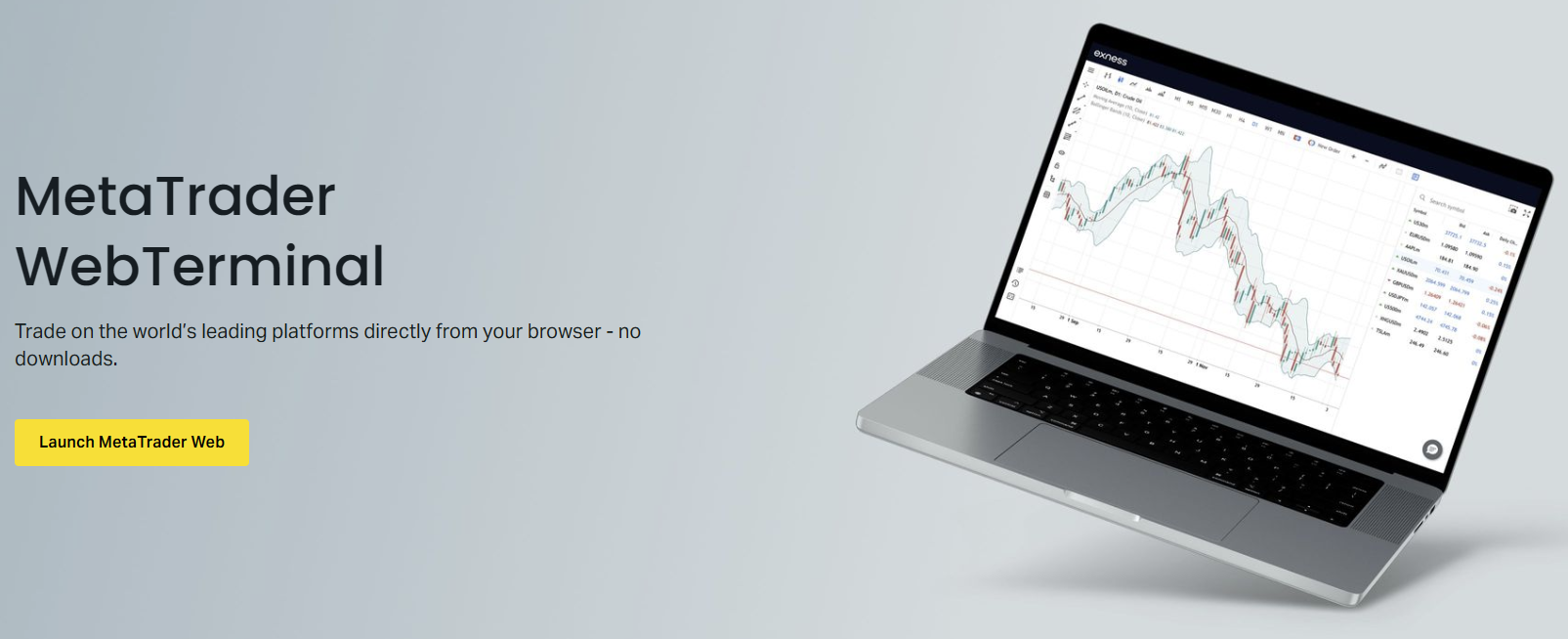
The Exness Web Terminal is a proprietary browser-based platform accessible directly from the personal area without downloads or plugins. It runs on Chrome, Firefox, Safari, and Edge across Windows, macOS, Linux, and Chrome OS. The interface resembles a simplified MetaTrader layout with a symbol watchlist on the left, chart area in the center, and trade panel at the bottom. It supports the same account types and pricing as desktop platforms.
Charting includes 15 timeframes (M1 through MN), three chart types, and 25 built-in indicators. Drawing tools cover trendlines, channels, Fibonacci retracements, Andrews' Pitchfork, and basic shapes. Charts can be saved as templates. The trade panel supports market orders, pending orders (buy limit, sell limit, buy stop, sell stop), and one-click trading with predefined lot sizes. Stop loss and take profit can be set in pips, price, or monetary value.
- No installation required — works in any modern browser
- 15 timeframes and 25 built-in indicators
- Full trading functionality: market, pending, and one-click orders
- Real-time account summary, equity, margin, and free margin
- Trade history with filtering by symbol, date, and type
- Push notifications for order fills, margin calls, and price alerts
- Dark and light theme options
- Responsive layout adapts to tablet and desktop screen sizes
The Web Terminal does not support expert advisors, custom indicators, or automated trading. It also lacks the strategy tester, MQL marketplace, and advanced order management features like OCO (one-cancels-other) brackets. For discretionary traders who need chart analysis and manual order execution from any device, it is a capable replacement. For algorithmic traders, it is not a substitute for MT4 or MT5.
Exness Mobile Trading Apps for iOS and Android
Exness provides two mobile applications: the Exness Trade app (proprietary) and the standard MetaTrader 4 and MetaTrader 5 mobile apps from MetaQuotes. The Exness Trade app is designed for account management, deposits, withdrawals, and basic trading with a streamlined interface. The MetaTrader mobile apps replicate the full desktop terminal feature set on smartphones and tablets.
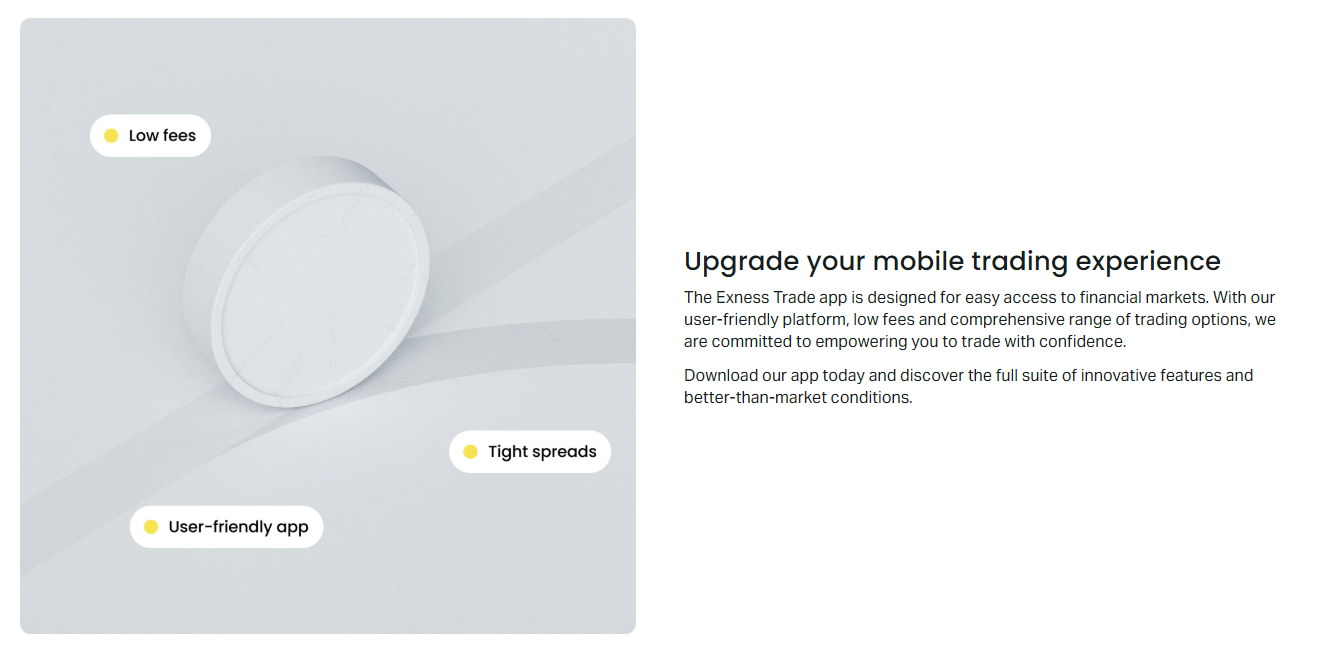
The MetaTrader 4 and 5 mobile apps support all order types, 9 timeframes (MT4) or 21 timeframes (MT5), 30 indicators (MT4) or 38 indicators (MT5), and drawing tools. Charts can be viewed in portrait or landscape. Push notifications deliver price alerts, order fills, margin calls, and news. Biometric login (Face ID, Touch ID, fingerprint) secures access. The apps synchronize chart templates, indicator settings, and drawing objects with the desktop terminal when logged into the same account.
- MetaTrader 4 and 5 apps available on App Store and Google Play
- Exness Trade app for account management and simplified trading
- Full charting with indicators, drawing tools, and templates
- All order types including pending orders and one-click trading
- Push notifications for trades, alerts, and margin events
- Biometric authentication and PIN lock
- Cross-device synchronization of charts and settings
- Offline mode shows cached quotes and charts without connection
Screen size is the main limitation. Complex multi-chart layouts, extensive indicator stacks, and precise drawing tool placement are difficult on phones. Tablets provide a better experience. The Exness Trade app focuses on essentials: quick market orders, position monitoring, and account funding. It does not support pending orders, expert advisors, or advanced charting. Traders who need full terminal functionality on mobile should use the MetaTrader apps.
Exness TradingView Integration and Charting
Exness integrates with TradingView, allowing traders to analyze markets on TradingView's advanced charting platform and execute trades directly through their Exness account. The integration connects via the TradingView broker panel — traders select Exness from the broker list, log in with their Exness credentials, and gain access to TradingView's 15+ chart types, 100+ built-in indicators, Pine Script custom indicators, and multi-chart layouts.
TradingView charts support features not available in MetaTrader: Renko, Kagi, Point & Figure, Heikin Ashi, and Range bars; custom timeframes down to seconds; multi-timeframe analysis on a single chart; and community-shared scripts. The broker panel shows account balance, equity, margin, open positions, and working orders. Traders can place market, limit, stop, and stop-limit orders with stop loss and take profit directly from the chart or the order panel.
- Access via TradingView website or desktop app — no separate download
- 15+ chart types including Renko, Kagi, Heikin Ashi, Range bars
- 100+ built-in indicators plus thousands of community Pine Scripts
- Custom timeframes from seconds to months
- Multi-chart layouts with synchronized crosshairs and intervals
- Direct trade execution from chart or broker panel
- Real-time account data: balance, equity, margin, positions
- Requires Exness live account (demo not supported on TradingView panel)
The TradingView integration uses Exness pricing and execution. Spreads, commissions, and swap rates match the connected account type. There is no additional cost for using TradingView beyond a potential TradingView subscription for premium features. The integration does not support expert advisors or automated strategies — Pine Script strategies can generate alerts but cannot auto-execute through the broker panel. Traders who want algorithmic execution should use MetaTrader with MQL4/MQL5.
Trading Tools and Analytical Resources
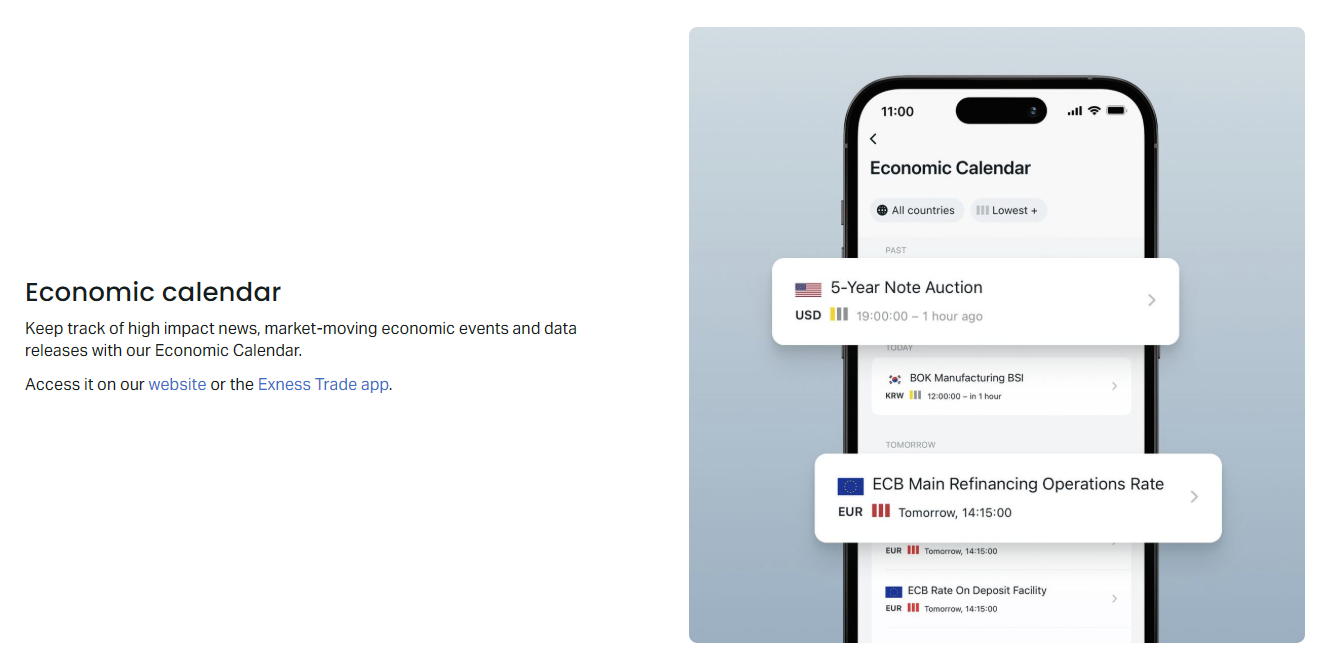
Beyond the platforms themselves, Exness provides several built-in tools that work across all interfaces. The trading calculator computes margin, pip value, swap, and profit for any position size and symbol. The economic calendar displays upcoming macroeconomic events with consensus forecasts and previous values, filterable by currency and impact. Market news from FXStreet streams in the personal area and Web Terminal. Trading Central signals provide technical analysis-based trade ideas on major instruments.
The trading calculator is accessible from the personal area and Web Terminal. It supports forex, metals, energies, indices, stocks, and crypto. Traders enter account currency, leverage, symbol, volume, and direction to see required margin, pip value, swap long/short, and estimated profit at target prices. This helps with position sizing and risk management before placing trades.
- Trading calculator: margin, pip value, swap, profit for all instruments
- Economic calendar: 1000+ events, filterable by currency and impact
- FXStreet market news: real-time headlines and analysis
- Trading Central signals: technical trade ideas with entry, SL, TP
- Currency converter: live rates for 150+ currencies
- Market hours schedule: session open/close times for all symbols
- Contract specifications: spreads, swaps, margin requirements per symbol
Trading Central signals appear in the personal area and can be pushed to email. They cover forex majors, crosses, gold, oil, and major indices. Each signal includes a directional bias, entry zone, stop loss, and take profit levels with a validity period. Signals are generated algorithmically from technical patterns and should be treated as trade ideas, not recommendations. Exness does not guarantee signal performance.
Account Types and Platform Compatibility
All Exness account types — Standard, Standard Cent, Pro, Raw Spread, and Zero — work on every platform. There are no platform-exclusive accounts. The main differences between account types are spreads, commissions, minimum deposits, and execution model. Standard and Standard Cent use market execution with no commission and spreads from 0.3 pips. Pro uses instant execution with no commission and spreads from 0.1 pips. Raw Spread and Zero use market execution with commission ($3.5 or $0 per lot per side) and spreads from 0.0 pips.
Scroll horizontally to see all columns
| Account | Execution | Commission | Min Spread | Min Deposit | Platforms |
|---|---|---|---|---|---|
| Standard | Market | None | 0.3 pips | $1 | All |
| Standard Cent | Market | None | 0.3 pips | $1 | All |
| Pro | Instant | None | 0.1 pips | $200 | All |
| Raw Spread | Market | $3.5/lot/side | 0.0 pips | $200 | All |
| Zero | Market | $0/lot/side | 0.0 pips | $200 | All |
Standard Cent accounts denominate balance in cents (1 USD = 100 cents), allowing micro-lot trading with very small capital. This is useful for beginners testing live conditions. Pro accounts offer instant execution with no requotes under normal conditions but may requote during news events. Raw Spread and Zero accounts are designed for scalpers and high-volume traders who prefer raw spreads with transparent commission. The Zero account charges no commission but has slightly wider effective spreads during low liquidity.
Execution Quality and Trading Conditions
Exness publishes execution statistics quarterly, including average execution speed, slippage distribution, and requote rates. The broker reports average execution speed under 25 milliseconds on major pairs during liquid hours. Slippage is symmetric — positive and negative slippage occur with similar frequency on market execution accounts. Requotes on instant execution accounts (Pro) average under 1% of orders during normal conditions but increase during high-impact news.
The broker uses a hybrid model: STP (straight-through processing) for Standard, Standard Cent, Raw Spread, and Zero accounts; dealing desk for Pro accounts. On STP accounts, orders are routed to liquidity providers (banks, non-bank market makers, ECNs) with no dealer intervention. On Pro accounts, Exness acts as counterparty but hedges net exposure externally. Both models are disclosed in the order execution policy. Traders concerned about conflict of interest may prefer STP accounts.
- Average execution speed under 25 ms on majors during London/New York overlap
- Symmetric slippage distribution on market execution accounts
- Requote rate under 1% on Pro accounts during normal conditions
- No stop loss hunting — orders filled at VWAP of available liquidity
- Gap protection: pending orders filled at first available price after gap
- No minimum distance for stop loss and take profit on most symbols
- Maximum leverage up to 1:2000 (unlimited for equity under $1000 on Pro)
Leverage is dynamic and adjusts based on account equity, symbol, and time of day. During high-impact news and weekend rollover, leverage may be reduced temporarily. The personal area shows current leverage per symbol. Margin calls occur at 60% margin level; stop out at 0% (positions closed automatically). Exness does not charge negative balance protection fees — losses cannot exceed account balance.
VPS Hosting for Automated Trading
Exness offers free VPS hosting for traders who meet volume requirements. The VPS runs Windows Server in the Equinix LD4 data center (London), co-located with Exness trade servers. Latency between VPS and trade server is typically under 1 ms. Traders connect via Remote Desktop and run MetaTrader 4 or 5 with expert advisors 24/7 without keeping a personal computer online.
To qualify for free VPS, traders must maintain a minimum monthly trading volume of 5 lots (standard lots) or hold a deposit of $500. The VPS provides 1 CPU core, 2 GB RAM, 30 GB SSD, and 1 Gbps network. Higher-tier VPS plans are available for a monthly fee with more resources. The VPS supports multiple MetaTrader instances and custom applications. Exness does not monitor or restrict expert advisor usage on the VPS.
- Free VPS with 5 lots/month volume or $500 deposit
- Hosted in Equinix LD4 — under 1 ms latency to trade servers
- 1 CPU, 2 GB RAM, 30 GB SSD, 1 Gbps network
- Windows Server 2019 with Remote Desktop access
- Supports MT4, MT5, and multiple expert advisors
- Paid upgrades available for more resources
- No restrictions on EA types or trading strategies
- Automatic renewal while qualification criteria are met
Traders who do not meet the free tier requirements can rent a VPS from third-party providers (ForexVPS, BeeksFX, CNS) with similar co-location benefits. The key factor is proximity to Exness servers in LD4 or NY4. Exness does not endorse specific third-party VPS providers but publishes server IP addresses for latency testing.
Platform Security and Protection Features
Exness implements several security layers across all platforms. Account access requires email/password plus two-factor authentication (2FA) via authenticator app or SMS. The personal area supports device management — traders can view active sessions, revoke access, and set trusted devices. Withdrawal requests require email or SMS confirmation. API access for third-party tools uses separate API keys with configurable permissions.
Platform-level protections include negative balance protection (account cannot go below zero), margin call at 60% and stop out at 0%, and guaranteed stop loss on certain account types (available as add-on). Price manipulation protection rejects orders that deviate significantly from market quotes. The broker is regulated by multiple authorities including FCA (UK), CySEC (Cyprus), FSCA (South Africa), and CBCS (Curaçao), each imposing capital requirements, segregation of client funds, and audit obligations.
- Two-factor authentication via authenticator app or SMS
- Device management with session monitoring and revocation
- Withdrawal confirmation via email or SMS
- Negative balance protection — losses capped at account balance
- Margin call at 60%, stop out at 0% margin level
- Guaranteed stop loss available on select accounts (fee applies)
- Price deviation protection rejects off-market orders
- Client funds segregated in tier-1 banks per regulatory requirements
Exness participates in investor compensation schemes where applicable (FSCS up to £85,000 in UK, ICF up to €20,000 in Cyprus). The broker publishes audited financial statements annually. Platform connections use TLS 1.2+ encryption. MetaTrader login credentials are never stored by Exness — authentication occurs via token exchange with the trade server. Traders should still use strong unique passwords, enable 2FA, and avoid sharing login details.
How to Choose the Right Exness Platform
Platform choice depends on trading style, technical requirements, and device preferences. There is no single best platform — each serves a different workflow. The table below summarizes typical use cases.
Scroll horizontally to see all columns
| Trading Style | Recommended Platform | Key Reason |
|---|---|---|
| Algorithmic / EA trading | MT4 or MT5 Desktop | Full expert advisor support, strategy tester |
| Scalping / high frequency | MT4/MT5 Desktop or VPS | Lowest latency, one-click trading, DOM |
| Swing / position trading | Web Terminal or Mobile | Convenient monitoring, no install needed |
| Multi-device / travel | Web Terminal + Mobile | Access from any browser, synced charts |
| Advanced chart analysis | TradingView + Exness | Superior chart types, Pine Script, layouts |
| Beginner learning | MT4 Desktop or Exness Trade App | Simple interface, abundant tutorials |
| Professional / institutional | MT5 Desktop + VPS | Netting/hedging, DOM, 21 timeframes, API |
Many traders use multiple platforms simultaneously. A common setup: MT5 desktop for primary analysis and EA testing, Web Terminal for quick checks at work, mobile app for alerts and position management on the go, and TradingView for weekend research and custom indicator development. All platforms connect to the same account — positions opened on one appear on others (except MT4/MT5 hedging vs netting difference).
Getting Started with Exness Platforms
Opening an account and accessing platforms takes a few steps. First, register on the Exness website with email and password. Complete email verification, then log into the personal area. Complete the economic profile (experience, income, net worth) — this is a regulatory requirement. Verify identity with government-issued ID and proof of address (utility bill or bank statement). Verification typically completes within a few hours.
- Register at exness.com with email and password
- Verify email via confirmation link
- Complete economic profile questionnaire
- Upload ID and proof of address for KYC
- Wait for verification (usually under 24 hours)
- Open a trading account (Standard, Pro, Raw Spread, Zero, or Cent)
- Download platforms from personal area or use Web Terminal directly
- Log in with account number and trading password
Demo accounts are available for all platforms without verification. In the personal area, select 'Open Demo Account,' choose platform (MT4, MT5, or Web Terminal), set leverage and initial balance. Demo credentials work immediately. Demo accounts expire after 21 days of inactivity but can be reopened. Demo pricing matches live pricing, but execution may differ slightly because demo orders do not interact with real liquidity.
After logging into a platform, configure charts, add frequently traded symbols to Market Watch, set up one-click trading lot sizes, and enable push notifications on mobile. Save chart templates for quick application. Test order placement with small positions on a demo or cent account before scaling up. Familiarize yourself with the margin calculator and economic calendar — they are accessible from the personal area on all platforms.
Frequently Asked Questions
Can I use MetaTrader 4 and MetaTrader 5 at the same time on the same Exness account?
Yes, you can log into both MT4 and MT5 simultaneously with the same credentials. However, positions opened on MT4 (hedging model) are not visible or manageable on MT5 (netting model by default) and vice versa. Each platform maintains its own position list.
Does Exness Web Terminal support expert advisors or automated trading?
No. The Web Terminal is designed for manual trading only. It does not support MQL4/MQL5 expert advisors, custom indicators, or scripts. For automated trading, use MetaTrader 4 or 5 desktop with a VPS.
Is TradingView integration free with Exness?
Yes, connecting your Exness account to TradingView's broker panel is free. You only pay if you subscribe to TradingView's premium plans for additional features. Execution costs (spreads, commissions, swaps) are the same as on other platforms.
What is the difference between market execution and instant execution on Exness?
Market execution (Standard, Cent, Raw Spread, Zero) fills orders at the best available price from liquidity providers — slippage can occur. Instant execution (Pro) fills at the requested price or requotes if the price changed — no slippage but possible requotes during volatility.
Can I trade on Exness platforms from a Mac without Windows?
MetaTrader 4 and 5 no longer have native macOS support. Options: use the Web Terminal (browser-based), use TradingView integration, run MT4/MT5 via Wine/Crossover/Parallels, or use the mobile apps. The Web Terminal is the simplest native Mac solution.
How do I qualify for free Exness VPS hosting?
Trade at least 5 standard lots per calendar month or maintain a $500 account balance. The VPS provides 1 CPU, 2 GB RAM, 30 GB SSD in Equinix LD4 with under 1 ms latency to Exness servers. Qualification is checked monthly.
Are spreads and commissions the same across all Exness platforms?
Yes. Spreads, commissions, swaps, and leverage are determined by your account type, not the platform. A Raw Spread account has the same conditions on MT4, MT5, Web Terminal, mobile, and TradingView.
Final Assessment of Exness Trading Platforms
Exness delivers a complete platform ecosystem that covers every common trading need. MetaTrader 4 remains the choice for traders dependent on the vast MQL4 library of indicators and expert advisors. MetaTrader 5 adds modern features — more timeframes, DOM, economic calendar, and better strategy testing — but requires adjusting to the netting model unless hedging mode is enabled. The Web Terminal is a genuinely capable browser platform for discretionary trading, not a stripped-down demo. Mobile apps provide full terminal functionality on phones and tablets. TradingView integration brings professional charting to traders who want it without leaving the Exness execution environment.
The broker does not gatekeep platforms by account tier. A $1 Standard Cent account accesses the same MT5, Web Terminal, and mobile apps as a $50,000 Pro account. Execution quality is consistent across interfaces because all platforms route to the same pricing engine. The free VPS offer with reasonable volume requirements is a meaningful benefit for algorithmic traders. Security basics — 2FA, device management, negative balance protection — are properly implemented.
Gaps exist. The Web Terminal and mobile apps lack automation support. TradingView integration does not allow auto-execution from Pine Script strategies. MT5 hedging mode is not the default and must be requested. Mac users have no native desktop terminal. The Exness Trade app is limited to basic functions. None of these are unusual for the industry, but they matter if your workflow depends on those specific capabilities.
For most traders, the practical approach is to open a demo account on each platform, spend a few hours placing trades, managing positions, and testing the tools that matter to your strategy. The platform that feels fastest and most intuitive for your daily routine is the right one — and since all platforms share the same account, you can switch or combine them at any time without transferring funds or re-verifying.