

Forex Trading Guides
Exness GBPUSD Trading: Conditions, Platforms, and Practical Guide
Learn how to trade the Cable pair on Exness with detailed conditions and platform options.

Senior Forex Trader & Market Analyst
Daniel Chen is an experienced forex trader and financial market analyst with over 15 years of experience in currency trading. He specializes in technical analysis, risk management, and developing practical trading strategies to help traders make informed decisions.
GBPUSD, commonly called Cable, remains one of the most actively traded currency pairs in the forex market. Its deep liquidity, tight spreads during peak hours, and clear reaction to economic data from both the UK and US make it a staple for day traders, swing traders, and algorithmic strategies alike. Exness offers this pair across all its account types with conditions that vary depending on the account you choose.
Contents
- 1. Why GBPUSD Attracts Traders on Exness
- 2. Exness GBPUSD Trading Conditions
- 3. Trading Platforms for GBPUSD on Exness
- 4. Execution Quality and Order Types
- 5. GBPUSD Trading Hours and Session Overlaps
- 6. Fundamental Drivers of GBPUSD
- 7. Technical Analysis Considerations for Cable
- 8. Risk Management for GBPUSD on Exness
- 9. Using Exness Tools for GBPUSD Analysis
- 10. Account Types Compared for GBPUSD Trading
- 11. Practical Steps to Start Trading GBPUSD on Exness
- 12. Final Assessment of Exness GBPUSD Trading
This guide walks through the practical details of trading GBPUSD on Exness. It covers spreads, commissions, leverage limits, execution models, platform choices, trading hours, and the fundamental drivers that move the pair. The goal is to give you a clear picture of what to expect when you open a Cable position on this broker.
Why GBPUSD Attracts Traders on Exness
The pair combines the British pound and the US dollar, two reserve currencies with deep financial markets behind them. Daily volume in GBPUSD regularly exceeds $600 billion globally, which means slippage is usually minimal during the London and New York session overlap. Exness routes orders through its market execution model, so you get filled at the best available price without requotes.
Volatility on Cable tends to be higher than on EURUSD but lower than on GBPJPY or exotic crosses. That middle ground suits traders who want meaningful price movement without the erratic spikes that can trigger stops prematurely. The pair also respects technical levels reasonably well, which helps if your strategy relies on support, resistance, or trend structure.
Cable sits in a sweet spot: enough volatility for opportunity, enough liquidity for clean execution.
Exness GBPUSD Trading Conditions
Trading conditions on Exness differ by account type. The table below summarizes the key metrics for GBPUSD across the main account categories. All figures represent typical conditions during peak liquidity; spreads can widen during news releases or low-liquidity periods.
Scroll horizontally to see all columns
| Account Type | Typical Spread | Commission | Max Leverage | Min Deposit |
|---|---|---|---|---|
| Standard | From 1.0 pip | None | 1:2000 | $1 |
| Standard Cent | From 1.0 pip | None | 1:2000 | $1 |
| Pro | From 0.3 pip | None | 1:2000 | $200 |
| Raw Spread | From 0.0 pip | $3.5 per side per lot | 1:2000 | $200 |
| Zero | From 0.0 pip | $3.5 per side per lot (top 30 instruments) | 1:2000 | $200 |
The Standard and Standard Cent accounts build the cost into the spread. Pro accounts offer tighter spreads with no commission, making them a middle ground. Raw Spread and Zero accounts show near-zero spreads but charge a round-turn commission of $7 per standard lot on GBPUSD. For high-frequency or scalping strategies, the commission-based accounts often work out cheaper once you factor in the spread savings.
Trading Platforms for GBPUSD on Exness
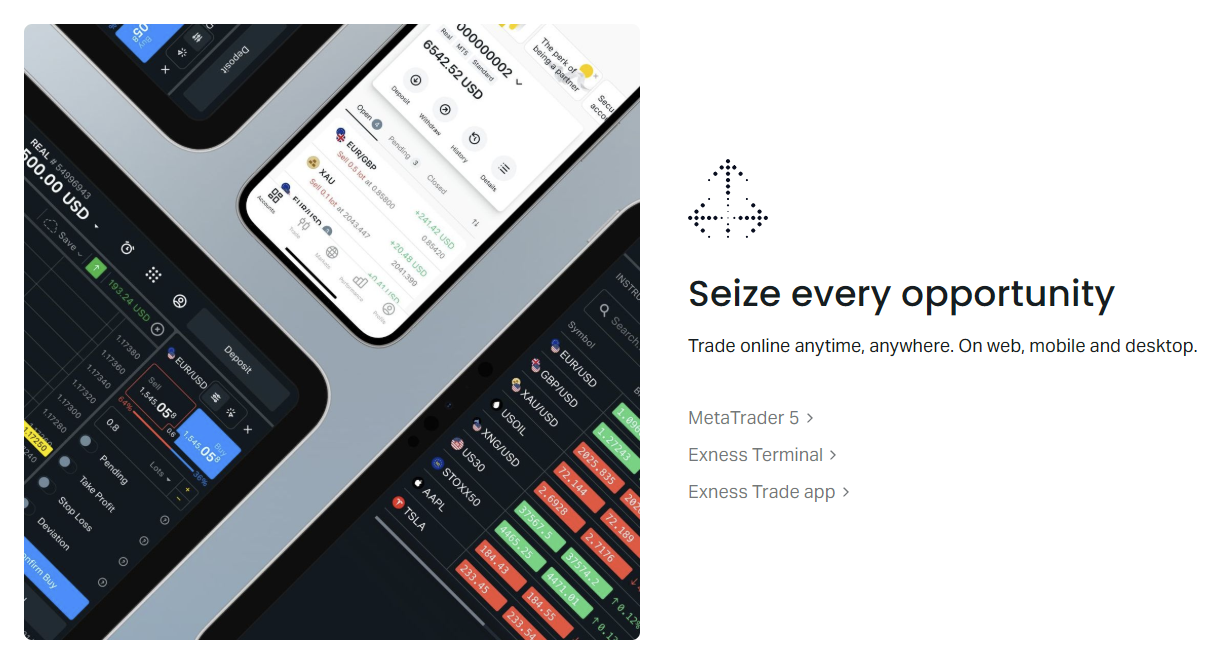
Exness supports GBPUSD trading on MetaTrader 4, MetaTrader 5, the proprietary Exness Web Terminal, and mobile apps for iOS and Android. Each platform connects to the same pricing engine, so spreads and execution speed remain consistent. The choice comes down to workflow preference and feature needs.
MetaTrader 4 remains the most widely used platform globally. It offers 9 timeframes, 30 built-in indicators, and a massive ecosystem of custom indicators and Expert Advisors. For GBPUSD traders running automated strategies, MT4's MQL4 community is the largest source of ready-made bots and scripts.
MetaTrader 5 adds 21 timeframes, 38 built-in indicators, a built-in economic calendar, and depth of market (DOM) display. The DOM can be useful for GBPUSD scalpers who want to see order book liquidity at different price levels. MT5 also supports netting and hedging modes, though Exness enables hedging on both platforms.
The Exness Web Terminal runs in any modern browser with no installation. It includes TradingView charts, one-click trading, and a streamlined interface that loads faster than the desktop terminals on slower connections. For traders who switch devices frequently or cannot install software, it covers the essentials well.
Execution Quality and Order Types
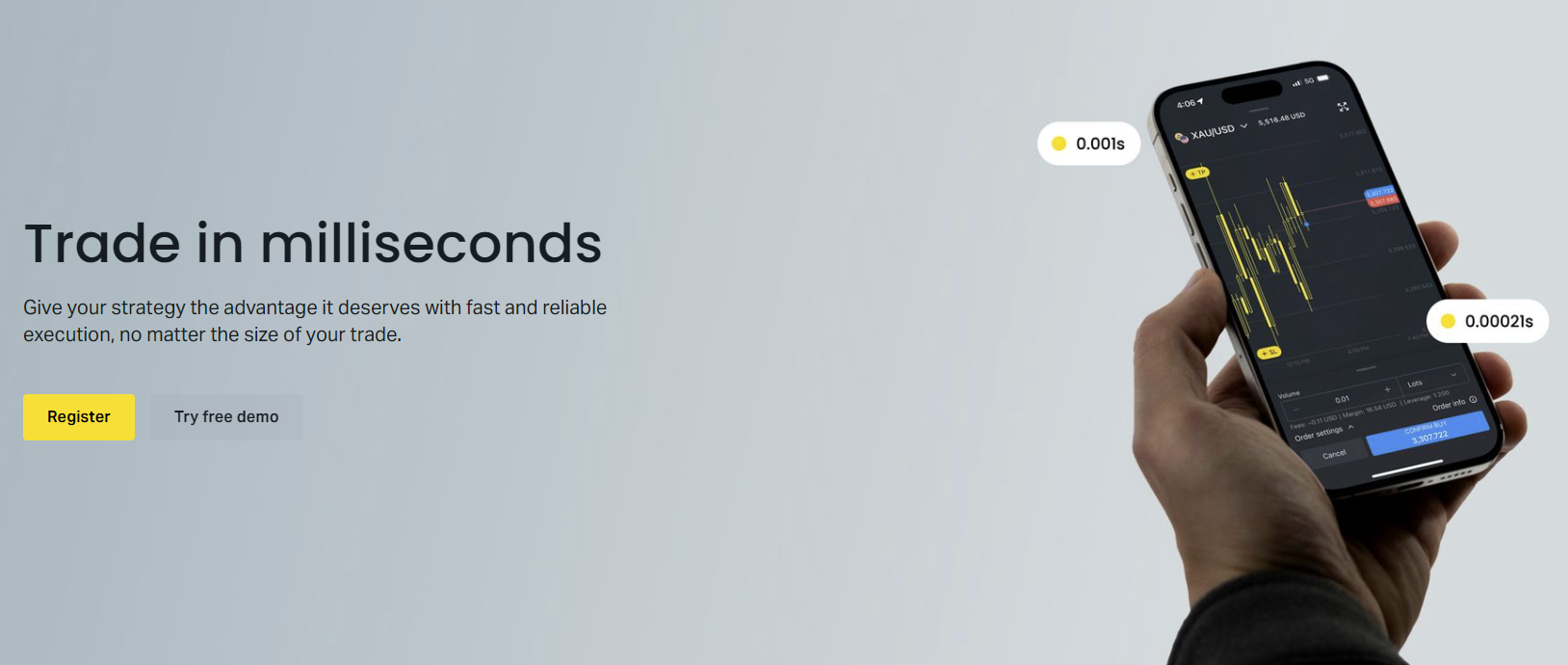
Exness uses market execution for all account types. Orders fill at the best available price from liquidity providers with no requotes. During normal GBPUSD conditions, fill times average under 100 milliseconds. The broker publishes execution statistics quarterly, showing slippage distribution and fill rates.
Available order types include market, limit, stop, stop-limit, and trailing stops. OCO (one-cancels-other) orders are not natively supported in MT4 or MT5 but can be scripted. For GBPUSD breakout traders, placing buy-stop and sell-stop orders around a consolidation range works reliably during the London open.
GBPUSD Trading Hours and Session Overlaps
Forex trades 24 hours a day, five days a week, but GBPUSD liquidity and volatility follow a clear pattern tied to the London and New York sessions. The table below shows the key windows in UTC.
Scroll horizontally to see all columns
| Session | Open | Close | Characteristics |
|---|---|---|---|
| Asian | 00:00 | 08:00 | Thin liquidity, range-bound |
| London | 08:00 | 17:00 | High volume, trend moves |
| London/NY Overlap | 13:00 | 17:00 | Peak liquidity, tightest spreads |
| New York | 13:00 | 22:00 | Strong moves, US data impact |
The London/New York overlap from 13:00 to 17:00 UTC consistently produces the tightest spreads and highest volume. Most institutional GBPUSD flow occurs in this window. If your strategy needs low transaction costs, this is the window to trade. The Asian session often sees GBPUSD range between 15-25 pips, which suits mean-reversion approaches but offers poor risk-reward for trend followers.
- London open (08:00 UTC) often sets the day's direction
- 13:00-17:00 UTC overlap: best spreads, highest volume
- US economic releases at 13:30 UTC drive sharp moves
- Avoid 22:00-00:00 UTC rollover when spreads widen
- Sunday 22:00 UTC open can gap on weekend news
Fundamental Drivers of GBPUSD
Cable moves on the relative monetary policy outlook of the Bank of England and the Federal Reserve. Interest rate differentials, inflation data, employment reports, and GDP prints from both economies create the macro backdrop. Traders on Exness can access the economic calendar directly in MT5 or via the web terminal.
Key UK releases include CPI (monthly), jobs data (monthly), GDP (quarterly), and BoE meeting minutes. US counterparts are CPI, PCE, NFP, ISM PMI, and FOMC decisions. A surprise in either direction can move GBPUSD 50-100 pips in minutes. The pair also reacts to risk sentiment: in risk-off environments, USD often strengthens against GBP as a safe haven.
Rate expectations drive the trend; data surprises drive the noise.
Technical Analysis Considerations for Cable
GBPUSD tends to respect major psychological levels (1.2000, 1.2500, 1.3000) and round numbers more cleanly than many crosses. The pair also shows clear correlation with EURUSD (positive) and USDCHF (negative), though correlation coefficients shift over time. During 2022-2023, the 30-day correlation with EURUSD averaged above 0.85.
Average true range (ATR) on the daily chart typically sits between 80-120 pips in normal conditions, expanding to 150+ during crisis periods. Intraday traders often use the 1-hour or 15-minute ATR to set stop distances. A 1.5x ATR stop on the 15-minute chart roughly equals 12-18 pips during the London session, which aligns with typical pullback depths in trending moves.
Risk Management for GBPUSD on Exness
Exness offers leverage up to 1:2000 on most accounts, but maximum leverage for GBPUSD is capped at 1:200 for retail clients under FCA and CySEC regulation. Professional clients can access higher leverage. The margin requirement at 1:200 is 0.5% of notional value, so a 1-lot GBPUSD position (£100,000) requires roughly $625 margin at 1.2500.
Stop-out level on Exness is 0% for most accounts, meaning positions close automatically when equity hits zero. Margin call occurs at 100% margin level. This gives you more room than brokers with 50% stop-outs, but it also means you can lose the entire account balance if a move goes sharply against you without a stop loss.
Using Exness Tools for GBPUSD Analysis
Exness provides several built-in tools that help with GBPUSD trade planning. The trading calculator computes margin, pip value, swap, and profit/loss for any position size. The economic calendar filters for UK and US events. Trading Central signals appear in the web terminal and MT5, offering technical levels and directional bias for major pairs including Cable.
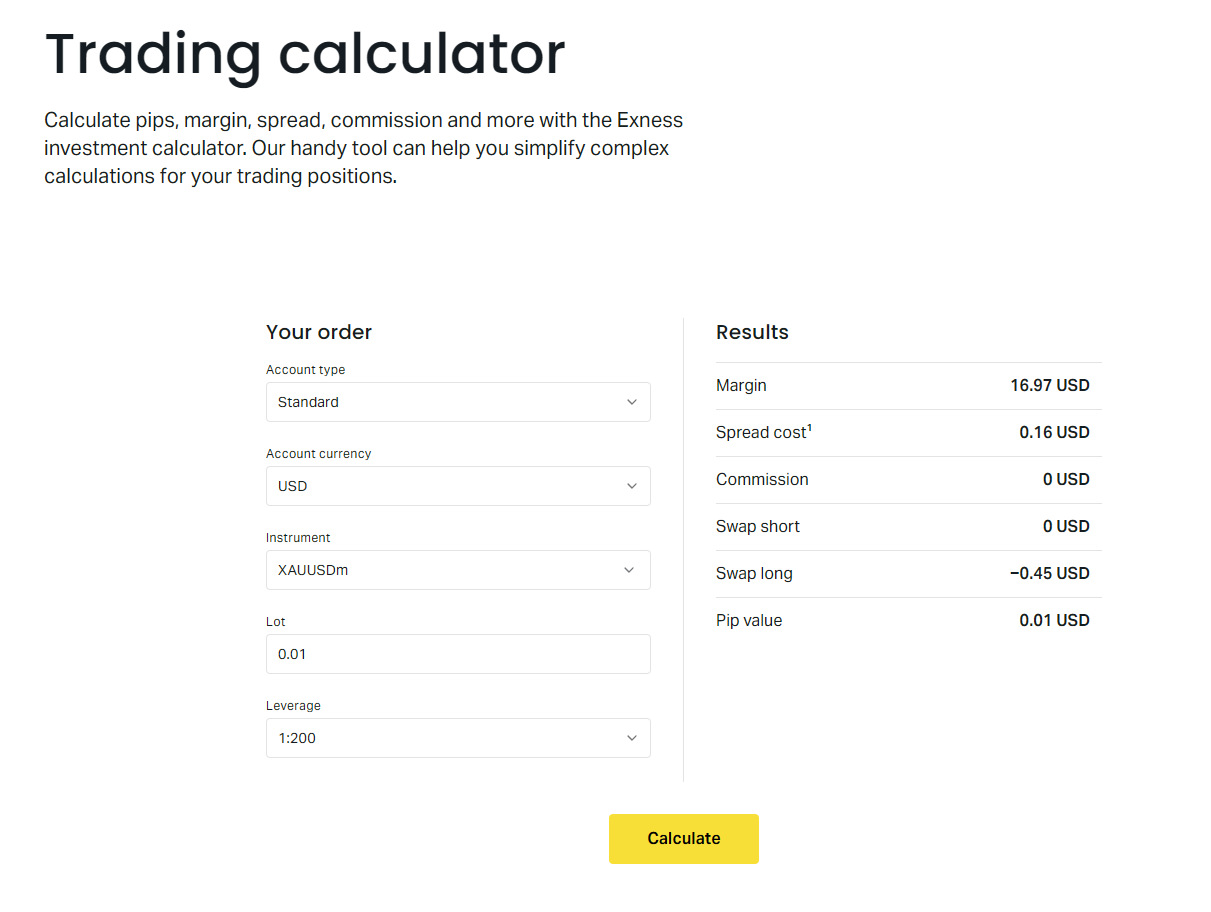
The calculator is especially useful for GBPUSD because pip value in USD changes with the exchange rate. At 1.2500, one pip on a standard lot equals $10. At 1.3000, it equals $10. The calculator handles this automatically. Swap rates for GBPUSD vary by account type and direction; long positions typically pay negative swap (you pay), while short positions may receive positive swap depending on the interest rate differential.
Account Types Compared for GBPUSD Trading
Choosing the right account depends on your trading style, capital, and cost sensitivity. The table below adds swap and execution details to the earlier comparison.
Scroll horizontally to see all columns
| Feature | Standard | Pro | Raw Spread | Zero |
|---|---|---|---|---|
| Spread Type | Floating | Floating | Floating | Fixed (top 30) |
| GBPUSD Avg Spread | ~1.0 pip | ~0.3 pip | ~0.0 pip | ~0.0 pip |
| Commission/Lot | None | None | $7 round turn | $7 round turn |
| Swap-Free Option | Yes | Yes | Yes | Yes |
| Best For | Beginners, low volume | Swing traders | Scalpers, high volume | Algo traders, top instruments |
The Zero account fixes spreads at zero for the top 30 instruments including GBPUSD, but only during trading hours. Outside those hours, spreads revert to floating. Raw Spread stays floating 24/5. If you trade GBPUSD exclusively during London/New York hours, Zero can be cheaper. If you hold positions overnight or trade Asian session, Raw Spread gives more predictable costs.
Practical Steps to Start Trading GBPUSD on Exness
Opening a live account takes a few minutes. The process is the same regardless of which account type you choose for GBPUSD.
- Register on Exness website or app with email and password
- Complete profile: name, address, phone verification
- Pass KYC: upload ID and proof of address
- Choose account type: Standard, Pro, Raw Spread, or Zero
- Select base currency (USD recommended for GBPUSD)
- Set leverage (default 1:200 for retail GBPUSD)
- Deposit via card, bank transfer, or e-wallet
- Download MT4/MT5 or open Web Terminal
- Add GBPUSD to Market Watch, check spread
- Place first trade with defined stop loss and target
The difference between demo and live is psychological, not technical. Exness demo conditions mirror live exactly.
Frequently Asked Questions
What is the minimum deposit to trade GBPUSD on Exness?
$1 for Standard and Standard Cent accounts. $200 for Pro, Raw Spread, and Zero accounts.
Does Exness charge swap on GBPUSD overnight positions?
Yes, swap applies on all account types unless you qualify for a swap-free (Islamic) account. Long GBPUSD typically pays negative swap; short may receive positive swap depending on rate differentials.
Can I scalp GBPUSD on Exness?
Yes. Raw Spread and Zero accounts with near-zero spreads and $7 commission per lot are designed for scalping. No minimum hold time or distance restrictions on stops.
What is the maximum leverage for GBPUSD on Exness?
1:200 for retail clients under FCA/CySEC regulation. Professional clients can access up to 1:2000. Leverage varies by jurisdiction.
Are GBPUSD spreads fixed on any Exness account?
The Zero account offers fixed 0.0 pip spreads on GBPUSD during trading hours for the top 30 instruments. Outside those hours, spreads float. All other accounts use floating spreads.
Does Exness offer GBPUSD on the Web Terminal?
Yes. The Exness Web Terminal includes GBPUSD with full charting, one-click trading, and TradingView integration. No download required.
How fast is GBPUSD execution on Exness?
Average fill time under 100 ms during normal conditions. Market execution model with no requotes. Slippage can occur during high-impact news.
Final Assessment of Exness GBPUSD Trading
Exness delivers competitive conditions for GBPUSD across the board. The Raw Spread and Zero accounts offer the lowest all-in costs for active traders, while Standard and Pro accounts keep things simple for those who prefer spread-only pricing. Execution is reliable, platforms cover every preference, and the toolset (calculator, calendar, signals) supports serious analysis. The main caveat is regulatory leverage caps: retail traders in major jurisdictions max out at 1:200 on GBPUSD, which is standard across the industry but limits position size for smaller accounts. If you trade Cable regularly, Exness belongs on your shortlist.