
Forex Broker Support
Exness Live Chat Support Guide
Complete guide to Exness customer support via live chat including availability and response times.

Senior Forex Trader & Market Analyst
Daniel Chen is an experienced forex trader and financial market analyst with over 15 years of experience in currency trading. He specializes in technical analysis, risk management, and developing practical trading strategies to help traders make informed decisions.
Exness live chat is the fastest way to get help with account issues, trading questions, or technical problems. The service runs 24/7 and supports multiple languages. Most traders find it more convenient than email or phone support because responses arrive in real time without waiting on hold.
Contents
- 1. Where to Find Exness Live Chat
- 2. Live Chat Operating Hours and Language Support
- 3. Starting a Chat Session
- 4. Identity Verification Process
- 5. Issues Resolved Through Live Chat
- 6. Response Times and Queue Management
- 7. Mobile App Live Chat Experience
- 8. Personal Area Integrated Chat
- 9. Preparing for an Effective Chat Session
- 10. Escalation Paths and Supervisor Requests
- 11. Alternative Support Channels
- 12. Common Live Chat Scenarios and Solutions
- 12.1. Deposit Not Credited
- 12.2. Withdrawal Rejected or Delayed
- 12.3. Verification Documents Rejected
- 12.4. Platform Connection Problems
- 12.5. Leverage or Margin Questions
- 13. Chat Transcript and Follow-Up
- 14. Troubleshooting Chat Connection Issues
- 15. Regional Considerations and Restrictions
- 16. Partner and IB Support via Live Chat
- 17. Feedback and Quality Assurance
- 18. Security Best Practices During Chat
- 19. Final Assessment of Exness Live Chat
This guide covers everything you need to know about using Exness live chat effectively. You will learn where to find it, when agents are available, what languages they speak, which issues they can resolve, and how to prepare for a productive conversation. The information comes from direct experience with the platform and publicly available Exness documentation.
Live chat access points differ slightly between the website, the Personal Area, and the mobile app. Each entry point connects to the same support team but may offer different pre-chat options or automated suggestions. Understanding these differences saves time when you need help quickly.
Where to Find Exness Live Chat
The live chat widget appears in several locations across the Exness ecosystem. On the main website, look for the chat icon in the bottom right corner of any page. It stays visible as you scroll. In the Personal Area, the chat button sits in the top navigation bar and also appears on the Help page. The Exness mobile app includes a support section with direct chat access from the menu.
Each access point launches the same chat interface but may pre-fill different context. The website chat starts with a general greeting. The Personal Area chat sometimes recognizes your logged-in account and skips the verification step. The app chat may suggest help articles based on the screen you were viewing when you opened support.
- Main website: bottom right chat icon on all pages
- Personal Area: top navigation bar and Help section
- Mobile app: menu → Support → Live Chat
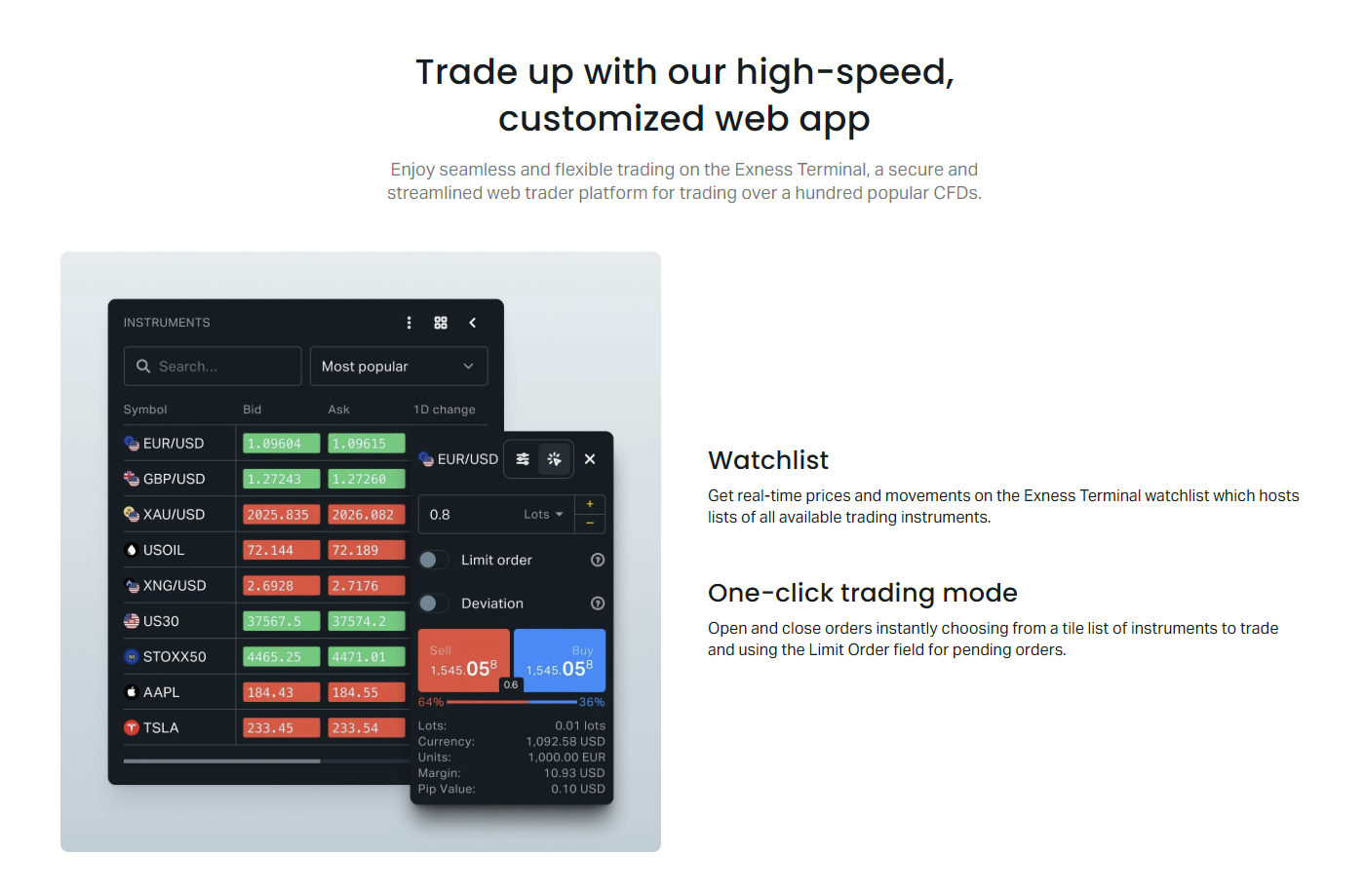
- Web Terminal: help menu in the trading interface
- Partner Area: dedicated partner support chat
If you cannot see the chat widget, check your browser extensions. Ad blockers and privacy tools sometimes hide chat widgets. Try disabling them temporarily or using an incognito window. The chat requires JavaScript and cookies to function properly.
The chat widget also appears on specific landing pages for deposits, withdrawals, and verification. These contextual entry points route you to agents specialized in those areas. For example, opening chat from the withdrawal page often connects you faster with the payments team.
Live Chat Operating Hours and Language Support
Exness live chat operates 24 hours a day, 7 days a week, without weekend breaks. This matches the forex market schedule where trading runs continuously from Monday morning in Asia to Friday evening in New York. Support agents work in shifts covering all time zones.
Language coverage is extensive. The core languages — English, Chinese, Thai, Vietnamese, Indonesian, Malay, Arabic, Spanish, Portuguese, and Russian — have native-speaking agents available at most hours. Other languages including Hindi, Bengali, Urdu, Turkish, Persian, Korean, Japanese, and several European languages have coverage during peak regional hours. If your preferred language lacks a live agent, the system offers translation assistance or routes you to an English-speaking agent.
Scroll horizontally to see all columns
| Language | Coverage | Native Agents |
|---|---|---|
| English | 24/7 | Yes |
| Chinese (Simplified) | 24/7 | Yes |
| Thai | 24/7 | Yes |
| Vietnamese | 24/7 | Yes |
| Indonesian | 24/7 | Yes |
| Malay | 24/7 | Yes |
| Arabic | 24/7 | Yes |
| Spanish | 24/7 | Yes |
| Portuguese | 24/7 | Yes |
| Russian | 24/7 | Yes |
| Hindi | Peak hours | Partial |
| Bengali | Peak hours | Partial |
| Turkish | Peak hours | Partial |
| Korean | Peak hours | Partial |
| Japanese | Peak hours | Partial |
During major holidays like Christmas, New Year, or regional festivals, some language teams may have reduced staffing. English support remains fully staffed. The chat interface displays a notice when wait times exceed normal ranges.
Starting a Chat Session
Clicking the chat icon opens a pre-chat form. You enter your name, email, and select a topic category. The topic dropdown includes General Support, Technical Issues, Deposits and Withdrawals, Verification, Trading Conditions, and Partner Program. Selecting the right category routes your chat to the appropriate specialist team immediately.
If you are logged into your Personal Area, the form may auto-fill your name and email. It may also display your account number. Verify this information before submitting. Incorrect account details slow down verification and delay resolution.
- Enter your full name as registered with Exness
- Use the email linked to your trading account
- Select the most specific topic category
- Include your account number if not auto-filled
- Briefly describe the issue in the message field
After submitting the form, you enter a queue. The interface shows your position and estimated wait time. Typical waits range from under a minute during off-peak hours to 5-10 minutes during high volatility events or major platform updates. You can minimize the chat window and browse other pages while waiting. A sound notification and browser tab alert signal when an agent joins.
The pre-chat form exists to route you correctly. Taking thirty seconds to pick the right category often saves five minutes of transfers later.
Identity Verification Process
Before an agent can access your account details or perform actions, they must verify your identity. This protects your funds and personal data. The standard verification asks for your account number, registered email, and sometimes the last four digits of your phone number or a recent transaction amount.
If you started chat from the Personal Area while logged in, verification may be skipped or shortened. The system recognizes your session. However, agents may still request confirmation for sensitive actions like withdrawal changes, leverage adjustments, or password resets.
- Account number (found in Personal Area dashboard)
- Registered email address
- Last four digits of registered phone number
- Recent deposit or withdrawal amount
- Trading platform password (never share this)
For corporate or partner accounts, additional verification may include company registration documents or authorized signatory confirmation. Have these ready if you manage an institutional account.
Issues Resolved Through Live Chat
Live chat handles the majority of day-to-day support needs. Account registration questions, deposit and withdrawal status checks, verification document reviews, leverage changes, platform connection issues, spread and commission queries, and swap rate explanations are all routine. Agents can also process certain account actions directly during the chat session.
Technical issues with MetaTrader 4, MetaTrader 5, the Web Terminal, or the mobile app receive first-line troubleshooting. Agents guide you through login problems, chart display errors, order execution questions, and indicator installation. For complex platform bugs, they create tickets for the technical team and provide ticket numbers for tracking.
Scroll horizontally to see all columns
| Category | Examples | Typical Resolution |
|---|---|---|
| Account Management | Leverage change, account type switch, password reset | Immediate to 15 minutes |
| Deposits | Missing funds, failed transactions, method questions | Immediate to 1 hour |
| Withdrawals | Status check, rejection reasons, limits | Immediate to 24 hours |
| Verification | Document status, rejection reasons, resubmission | Immediate to 48 hours |
| Trading Conditions | Spreads, swaps, commissions, margin requirements | Immediate |
| Platform Issues | Login, connection, charts, orders, indicators | Immediate to 1 hour |
| Partner Program | Commission reports, IB links, payout schedules | Immediate to 24 hours |
Some issues exceed live chat scope. Legal disputes, complex compliance reviews, fund recovery from third-party scams, and custom API integration support typically require email escalation to specialized departments. Agents will initiate the transfer and provide reference numbers.
Response Times and Queue Management
Average first response time ranges from 30 seconds to 3 minutes depending on current load. During major market events — central bank announcements, geopolitical surprises, or platform maintenance windows — queues build quickly. The system prioritizes chats by topic urgency. Withdrawal blocks and verification holds often receive faster routing than general information requests.
Once connected, agents handle one chat at a time. Complex issues may involve brief pauses while the agent checks systems or consults specialists. They should inform you before stepping away. If an agent disappears without notice for more than five minutes, you can request a supervisor or reopen the chat.
- Off-peak (Asian night): under 1 minute wait
- Normal hours: 1-3 minutes wait
- High volatility events: 5-15 minutes wait
- Major platform issues: 10-20 minutes wait
- First response after connection: usually under 30 seconds
Mobile App Live Chat Experience
The Exness mobile app integrates live chat directly into the support section. Access it through the menu icon, then Support, then Live Chat. The interface adapts to mobile screens with larger touch targets and a simplified pre-chat form. Push notifications alert you when an agent responds if you leave the app.
One advantage of mobile chat: you can share screenshots directly from your photo library or take new ones. This helps agents see error messages, deposit confirmations, or verification document rejections exactly as they appear on your screen. The desktop version requires file uploads which take more steps.
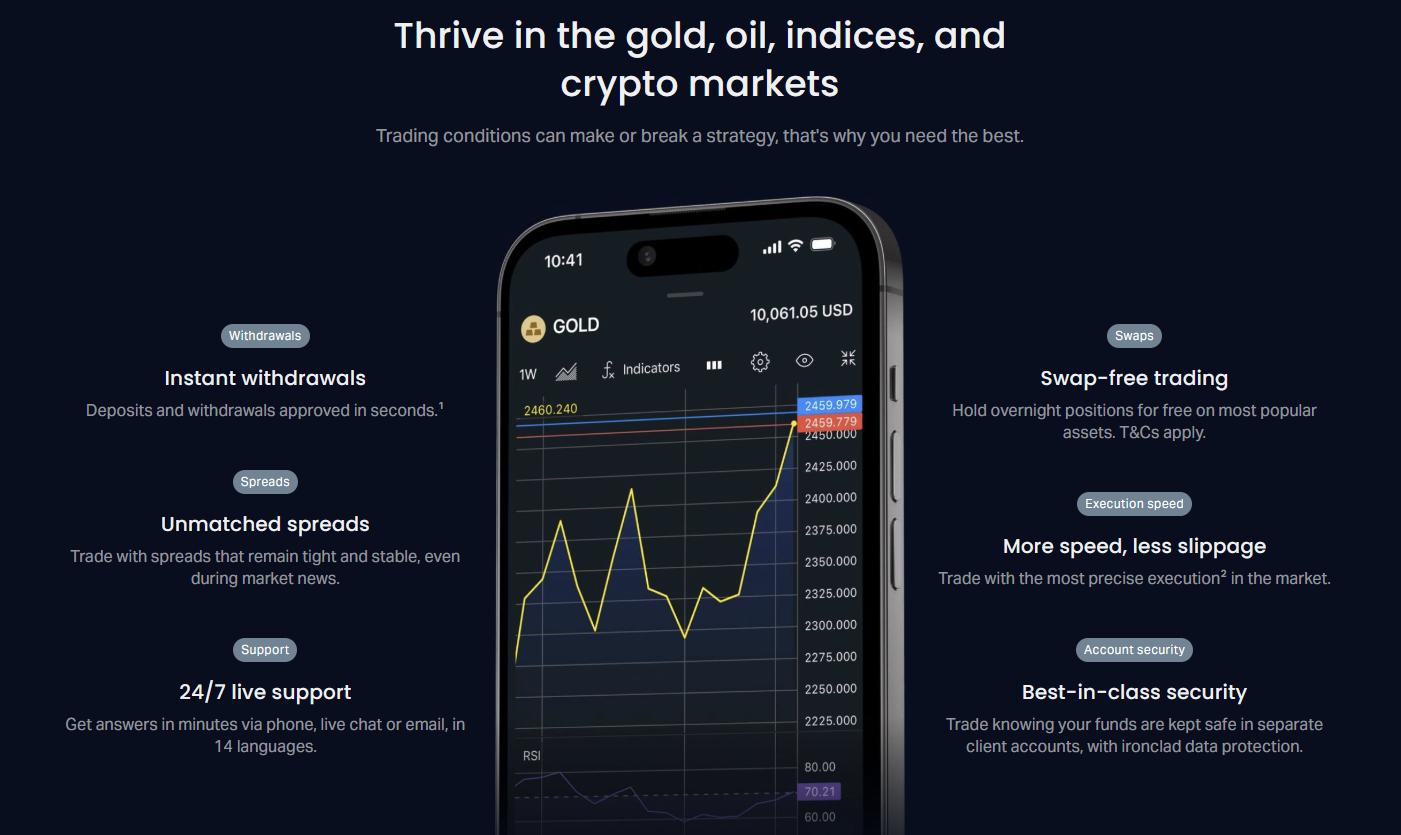
The mobile chat session persists if you switch apps briefly. However, force-closing the app or losing internet connection may end the session. The agent sees your connection status and may wait a few minutes before closing the chat. You can reopen and reference the previous conversation ID.
Personal Area Integrated Chat
Inside the Personal Area, live chat offers contextual awareness. When you open chat from the Withdrawal page, the agent sees you were viewing withdrawals. From the Verification page, they see your document status. This context eliminates repetitive explanations and speeds up resolution.
The Personal Area chat also retains conversation history. Previous chats appear in the support section with timestamps, topics, and resolution status. You can reopen a recent chat to continue where you left off or reference an agent's previous instructions. This feature is not available on the public website chat.
- Context-aware routing based on current page
- Conversation history stored in Personal Area
- Auto-filled account details when logged in
- Direct links to relevant help articles
- Ability to reopen recent conversations
Starting chat from the relevant Personal Area page is the single biggest time saver. The agent already knows what you are looking at.
Preparing for an Effective Chat Session
Preparation turns a 20-minute chat into a 5-minute resolution. Before opening chat, gather your account number, the exact error message or problem description, screenshots of any errors, transaction IDs for deposit or withdrawal issues, and document reference numbers for verification queries. Write a one-sentence summary of the issue to paste into the initial message field.
If your issue involves a specific trade, note the ticket number, instrument, open time, close time, and your expected versus actual outcome. For platform issues, note the platform version (MT4 build number, MT5 version, Web Terminal browser, or app version), device type, and operating system. This technical detail helps agents reproduce the problem.
- Account number ready
- Exact error message text or screenshot
- Transaction IDs for payment issues
- Document reference numbers for verification
- Trade ticket numbers for execution questions
- Platform version and device details for tech issues
- One-sentence issue summary for initial message
Escalation Paths and Supervisor Requests
If an agent cannot resolve your issue, you can request escalation. The standard path: agent → senior agent → team lead → department head. Each level has broader authority. Senior agents can approve exception withdrawals, override verification rejections, and adjust trading conditions within policy limits. Team leads handle complaints about agent conduct or process failures.
To request escalation, state clearly: 'I would like to speak with a senior agent or supervisor about this issue.' Agents are trained to honor this request without argument. They transfer the chat with full context. You should not need to repeat your problem. If the transfer fails or the new agent lacks context, ask for the conversation ID and reference it.
- Request escalation clearly and politely
- Agent transfers with full chat history
- Senior agents handle exceptions and overrides
- Team leads address process complaints
- Conversation ID preserves context across transfers
For formal complaints that exceed chat resolution, Exness provides a dedicated complaints email and an online form. Chat agents can provide the link and reference number. Regulatory complaints follow separate channels depending on the licensing entity (CySEC, FCA, FSCA, FSA, etc.).
Alternative Support Channels
Live chat is not the only option. Email support handles non-urgent, complex, or document-heavy issues. Response time averages 4-12 hours. Phone support exists for certain regions and account tiers — check the Contact page for current numbers. The Help Center contains hundreds of articles covering most common questions. Social media channels (Telegram, Facebook, Twitter) provide announcements and general guidance but not account-specific support.
Scroll horizontally to see all columns
| Channel | Best For | Response Time | Availability |
|---|---|---|---|
| Live Chat | Urgent issues, real-time troubleshooting | Seconds to minutes | 24/7 |
| Complex issues, documents, formal complaints | 4-12 hours | 24/7 | |
| Phone | Regional support, high-tier accounts | Immediate if connected | Business hours |
| Help Center | Self-service, common questions | Instant | Always |
| Social Media | Announcements, general info | Hours to days | Business hours |
Many traders use multiple channels. Start with the Help Center for basic questions. Use live chat for urgent account access or trading issues. Follow up with email for documentation or formal records. The channels share a ticketing system so history transfers between them.
Common Live Chat Scenarios and Solutions
Certain scenarios repeat frequently. Knowing the standard resolution path sets expectations and helps you provide the right information upfront.
Deposit Not Credited
Provide the transaction ID, payment method, amount, and exact time. Screenshot the payment confirmation from your bank, wallet, or payment provider. Agents check the payment gateway status. Most delays resolve within one hour for electronic methods. Bank transfers take 1-3 business days. Crypto deposits require blockchain confirmations — agents can verify the transaction hash.
Withdrawal Rejected or Delayed
Ask for the specific rejection reason. Common causes: mismatched payment details, unverified account, bonus funds not meeting turnover, or exceeding daily limits. Agents can often fix detail mismatches immediately. Verification issues require document review. Bonus turnover requires checking the trading volume report. Limits reset at 00:00 server time.
Verification Documents Rejected
Request the exact rejection reason for each document. Typical issues: expired documents, blurry images, mismatched names, unsupported document types, or missing pages. Agents list the specific requirements. Resubmit corrected documents through the Personal Area verification page. Re-review usually completes within 24 hours.
Platform Connection Problems
Share the exact error code (e.g., 'No connection', 'Invalid account', 'Trade context busy'). Note your platform, version, and internet connection type. Agents test server status and may suggest switching servers, updating the platform, or using the Web Terminal as a temporary workaround. VPN or proxy use often causes connection blocks.
Leverage or Margin Questions
Leverage changes apply to new positions only. Existing positions retain original leverage. Margin requirements vary by instrument, account type, and time of day (higher during rollover and high volatility). Agents provide current specifications or direct you to the trading conditions page. They can adjust leverage within your account type limits instantly.
Chat Transcript and Follow-Up
After the chat ends, you can request a transcript emailed to your registered address. The transcript includes timestamps, agent name, and full conversation. Save it for reference if the issue recurs or for escalation evidence. In the Personal Area, recent chats appear in the support history with a 'View Transcript' link.
If the agent promised a follow-up action (document review, payment trace, technical ticket), note the expected timeline and reference number. Follow up via chat or email if the deadline passes without update. Reference the original chat date, agent name, and conversation ID.
- Request transcript at chat end or from Personal Area
- Save transcripts for recurring issues
- Note promised follow-up actions and deadlines
- Reference conversation ID for follow-ups
- Escalate if promised timeline passes without update
A chat transcript is your receipt. Without it, a promised callback or document review can disappear into the queue.
Troubleshooting Chat Connection Issues
If the chat widget fails to load, shows 'offline' during operating hours, or disconnects repeatedly, try these steps in order. Clear browser cache and cookies for exness.com. Disable ad blockers and privacy extensions. Try a different browser or incognito mode. Check your internet connection. Try the mobile app chat as an alternative. If all fail, email support with screenshots of the error.
Corporate networks and some country-level firewalls block chat widgets. If you are on a work network, try a personal device on mobile data. The Web Terminal help menu chat sometimes works when the main site widget is blocked because it uses a different domain path.
- Clear cache and cookies for exness.com
- Disable ad blockers and privacy extensions
- Try incognito mode or different browser
- Test mobile app chat as alternative
- Try Web Terminal help menu chat
- Switch to mobile data if on corporate network
- Email support with error screenshots if persistent
During scheduled maintenance, Exness announces chat availability changes via the Help Center banner and email. Unscheduled outages are rare but possible. The status page (status.exness.com) shows real-time system health including chat service status.
Regional Considerations and Restrictions
Exness operates under multiple regulatory licenses. The entity serving your account determines available support channels, leverage limits, and product offerings. Chat agents see your entity assignment and apply the correct rules. Traders under CySEC (EU) have different leverage caps than those under FSCA (South Africa) or FSA (Seychelles). Agents cannot override regulatory limits.
Some countries restrict access to the Exness website or chat widget. Traders in these regions may need VPN access for the website but should note that using VPN may trigger additional security verification. The mobile app sometimes works in regions where the website is blocked. Contact support for region-specific guidance.
Scroll horizontally to see all columns
| Entity | Regulator | Max Leverage | Chat Availability |
|---|---|---|---|
| Exness (Cy) Ltd | CySEC | 1:30 retail | Full 24/7 |
| Exness B.V. | FSCA | 1:2000 | Full 24/7 |
| Exness (SC) Ltd | FSA | 1:2000 | Full 24/7 |
| Exness VG Ltd | FSC | 1:2000 | Full 24/7 |
Language support also varies by entity. The CySEC entity prioritizes European languages. The FSCA entity adds African language support. The FSA entity covers Asian languages most extensively. Your assigned entity appears in the Personal Area under Account Information.
Partner and IB Support via Live Chat
Introducing Brokers and affiliates access a dedicated partner support chat from the Partner Area. This team handles commission calculations, referral tracking, marketing material requests, payout schedules, and sub-IB management. Partner chat agents have access to the partner portal analytics and can investigate tracking discrepancies in real time.
Partner chat operates the same hours but with specialized agents. Wait times are typically shorter due to lower volume. Partners with Premier tier status receive priority routing. The partner chat also handles custom campaign setup, API integration questions, and white-label inquiries.
- Access via Partner Area dashboard
- Specialized partner support agents
- Commission and referral tracking issues
- Marketing materials and campaign setup
- Premier partners receive priority routing
- API and white-label technical questions
Feedback and Quality Assurance
After each chat, a brief survey appears. Rating your experience helps Exness identify training needs and recognize high-performing agents. The survey asks about resolution, agent courtesy, response speed, and overall satisfaction. Comments are reviewed by quality assurance teams weekly.
If you had a notably good or bad experience, mention the agent name and date in your comment. Specific feedback drives more improvement than generic ratings. Agents do not see individual survey responses but receive aggregated performance reports monthly.
- Complete post-chat survey
- Mention agent name and date in comments
- Specific feedback more valuable than ratings
- QA teams review weekly
- Agents receive monthly aggregated reports
The post-chat survey is the only direct feedback loop agents receive. Taking thirty seconds to complete it actually changes how support operates.
Security Best Practices During Chat
Protect yourself during support interactions. Verify you are on the official exness.com domain before entering credentials. The chat widget URL should show exness.com or a known subdomain. Bookmark the official site. Do not click chat links from unsolicited emails or messages — phishing sites replicate the chat interface to steal credentials.
During chat, share only what the agent needs. Account number, registered email, and transaction IDs are normal. Never share your trading platform password, full credit card numbers, CVV codes, crypto wallet seed phrases, or 2FA codes. Exness agents never request these. If asked, end the chat and report it to [email protected].
- Verify exness.com domain before chatting
- Bookmark official site, avoid email links
- Share only necessary information
- Never share MT4/MT5 passwords
- Never share full card details or CVV
- Never share crypto seed phrases
- Never share 2FA codes
- Report suspicious requests to [email protected]
Final Assessment of Exness Live Chat
Exness live chat delivers on its core promise: fast, accessible, multilingual support for the majority of trader needs. The 24/7 operation matches the market schedule. Context-aware entry points in the Personal Area and mobile app reduce friction. Agents generally resolve standard issues in one session. The transcript feature and conversation history add accountability. Weaknesses appear during extreme volatility when queues exceed 10 minutes, and for highly specialized issues requiring departmental escalation. For most traders, most of the time, it works as intended — a practical tool that solves problems without the frustration of phone trees or slow email exchanges.
Frequently Asked Questions
Is Exness live chat available 24/7?
Yes, Exness live chat operates 24 hours a day, 7 days a week, including weekends and holidays. English support is always fully staffed. Other languages have native agents during peak regional hours with English fallback.
How do I access live chat from the Exness mobile app?
Open the app, tap the menu icon, select Support, then tap Live Chat. The mobile interface supports push notifications so you can leave the app while waiting for an agent.
What information should I have ready before starting a chat?
Have your account number, registered email, and a clear description of the issue ready. For payment issues, include transaction IDs. For verification, have document reference numbers. For platform issues, note the platform version and error message.
Can I get a transcript of my chat session?
Yes. Request a transcript at the end of the chat or find it later in your Personal Area under Support History. Transcripts include timestamps, agent name, and full conversation text.
What if the agent cannot resolve my issue?
Request escalation to a senior agent or team lead. Agents transfer with full chat history. For formal complaints, ask for the complaints email or online form link. Regulatory complaints follow separate channels based on your account entity.
Does live chat work in all countries?
Some countries restrict access to the Exness website. The mobile app may work where the website is blocked. If chat is inaccessible, try the Web Terminal help menu chat or contact support via email.
What languages does Exness live chat support?
Core languages with 24/7 native agents: English, Chinese, Thai, Vietnamese, Indonesian, Malay, Arabic, Spanish, Portuguese, Russian. Additional languages have peak-hours coverage. English serves as fallback for all regions.
Is there a phone number for Exness support?
Phone support exists for certain regions and account tiers. Check the Contact page on the Exness website for current numbers. Live chat and email remain the primary support channels for most traders.