

Trading Tools & Calculators
Exness Pip Calculator: Complete Guide for Traders
Master pip calculations on Exness with practical examples, step-by-step instructions, and risk management strategies.

Senior Forex Trader & Market Analyst
Daniel Chen is an experienced forex trader and financial market analyst with over 15 years of experience in currency trading. He specializes in technical analysis, risk management, and developing practical trading strategies to help traders make informed decisions.
Every trader who has placed a position on Exness knows that understanding pip value is not optional. It is the foundation of position sizing, stop-loss placement, and overall risk control. The Exness pip calculator removes the guesswork by converting price movements into actual account currency values for any instrument the broker offers.
Contents
- 1. What Is the Exness Pip Calculator
- 2. How Pip Value Calculation Works
- 3. Using the Exness Pip Calculator Step by Step
- 4. Pip Value Examples Across Instruments
- 5. Why Accurate Pip Calculation Matters for Risk Management
- 6. Manual Calculation vs Exness Calculator
- 7. Integrating Pip Calculations into Your Trading Strategy
- 8. Common Pip Calculation Mistakes to Avoid
- 9. Advanced Pip Calculator Features
- 10. Pip Calculator for Different Account Types
- 11. Using the Calculator on Mobile and Desktop
- 12. Pip Calculation for Algorithmic and Copy Trading
- 13. Final Assessment of Exness Pip Calculator
This guide walks through how the calculator works, when to use it, and how to integrate its output into a disciplined trading plan. Whether you trade EURUSD, gold, US30, or Bitcoin, the same principles apply. The difference lies in contract specifications, and that is where the calculator earns its keep.
We will cover the mechanics behind pip value, walk through the calculator interface step by step, compare results across asset classes, and highlight common mistakes that distort risk calculations. A FAQ section at the end addresses the questions traders ask most often.
What Is the Exness Pip Calculator
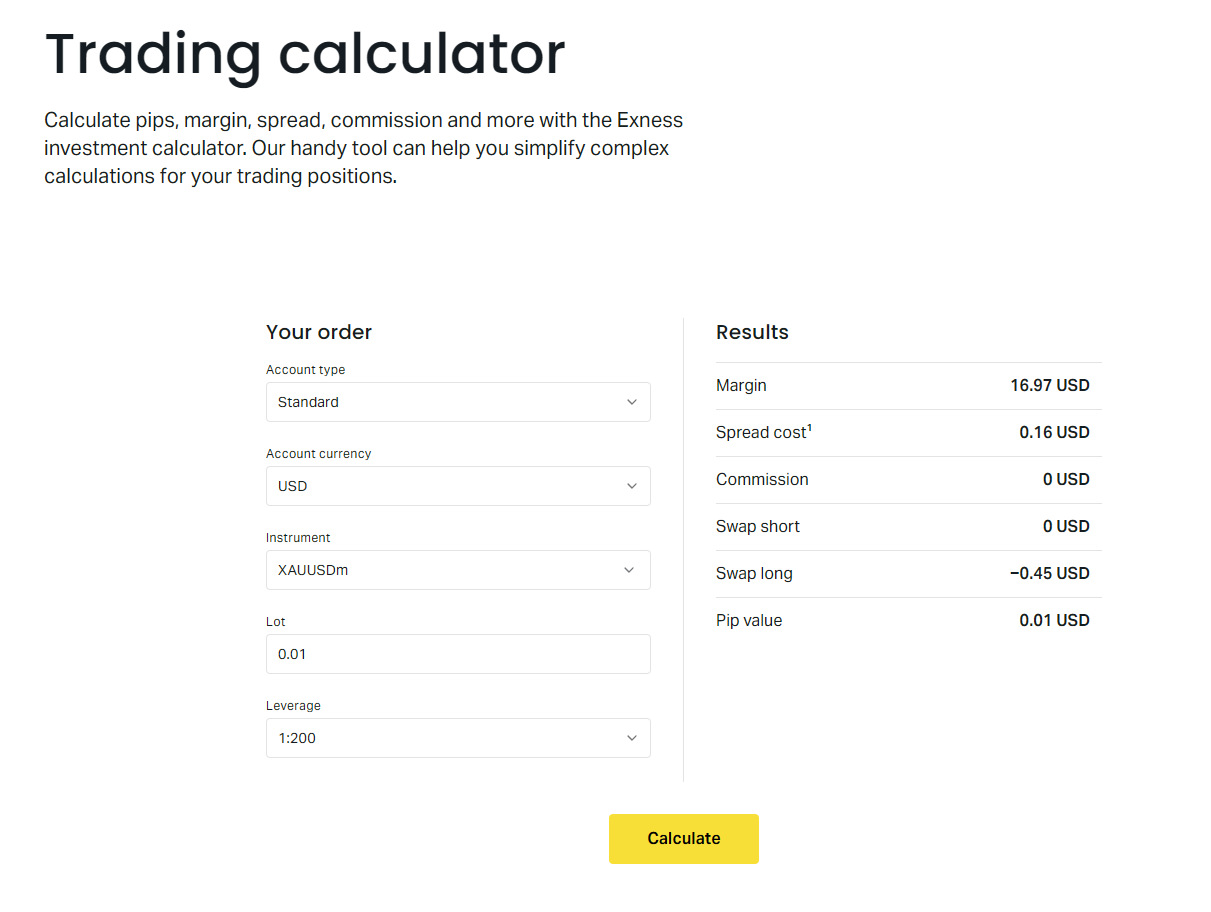
The Exness pip calculator is a web-based tool accessible from the Exness website and the Personal Area. It accepts an instrument, lot size, account currency, and optional entry or exit prices, then returns the monetary value of a single pip movement. The result updates instantly when any input changes.
Unlike generic calculators that assume standard forex conventions, the Exness version uses the broker's actual contract specifications. That means the pip definition for XAUUSD (gold) differs from EURUSD, and the calculator accounts for it automatically. The same holds for indices, energies, stocks, and cryptocurrencies.
Traders use it for three core tasks: sizing positions so that a predefined stop-loss equals a fixed percentage of account equity, estimating potential profit or loss before entering a trade, and verifying that the risk on a multi-leg strategy stays within limits. The tool is free, requires no login for basic use, and works on mobile browsers.
How Pip Value Calculation Works
A pip is the smallest standardized price increment for a given instrument. For most forex pairs quoted to five decimals, a pip is the fourth decimal place (0.0001). For JPY pairs quoted to three decimals, it is the second decimal (0.01). For metals, indices, and crypto, the pip size is defined in the contract specification and may represent 0.01, 0.1, 1.0, or another increment.
The monetary value of one pip depends on three variables: the pip size in quote currency, the contract size (lots), and the current exchange rate between the quote currency and your account currency. The formula is straightforward: pip value = (pip size / current price) × contract size × lot size, then converted to account currency at the prevailing rate.
Scroll horizontally to see all columns
| Category | Typical Pip Size | Example Instrument |
|---|---|---|
| Major forex pairs | 0.0001 | EURUSD, GBPUSD |
| JPY forex pairs | 0.01 | USDJPY, EURJPY |
| Gold (XAUUSD) | 0.01 | XAUUSD |
| Silver (XAGUSD) | 0.001 | XAGUSD |
| Indices (US30, US500) | 1.0 | US30, US500 |
| Energies (UKOIL, USOIL) | 0.01 | UKOIL, USOIL |
| Cryptocurrencies | 0.01 or 0.1 | BTCUSD, ETHUSD |
| Stocks CFDs | 0.01 | AAPL, TSLA |
The calculator handles the conversion automatically. If your account is in USD and you trade EURUSD, the quote currency matches the account currency, so no conversion is needed. If your account is in EUR and you trade USDJPY, the calculator converts JPY to EUR using the current EURJPY rate. This conversion step is where manual calculations often go wrong.
Using the Exness Pip Calculator Step by Step
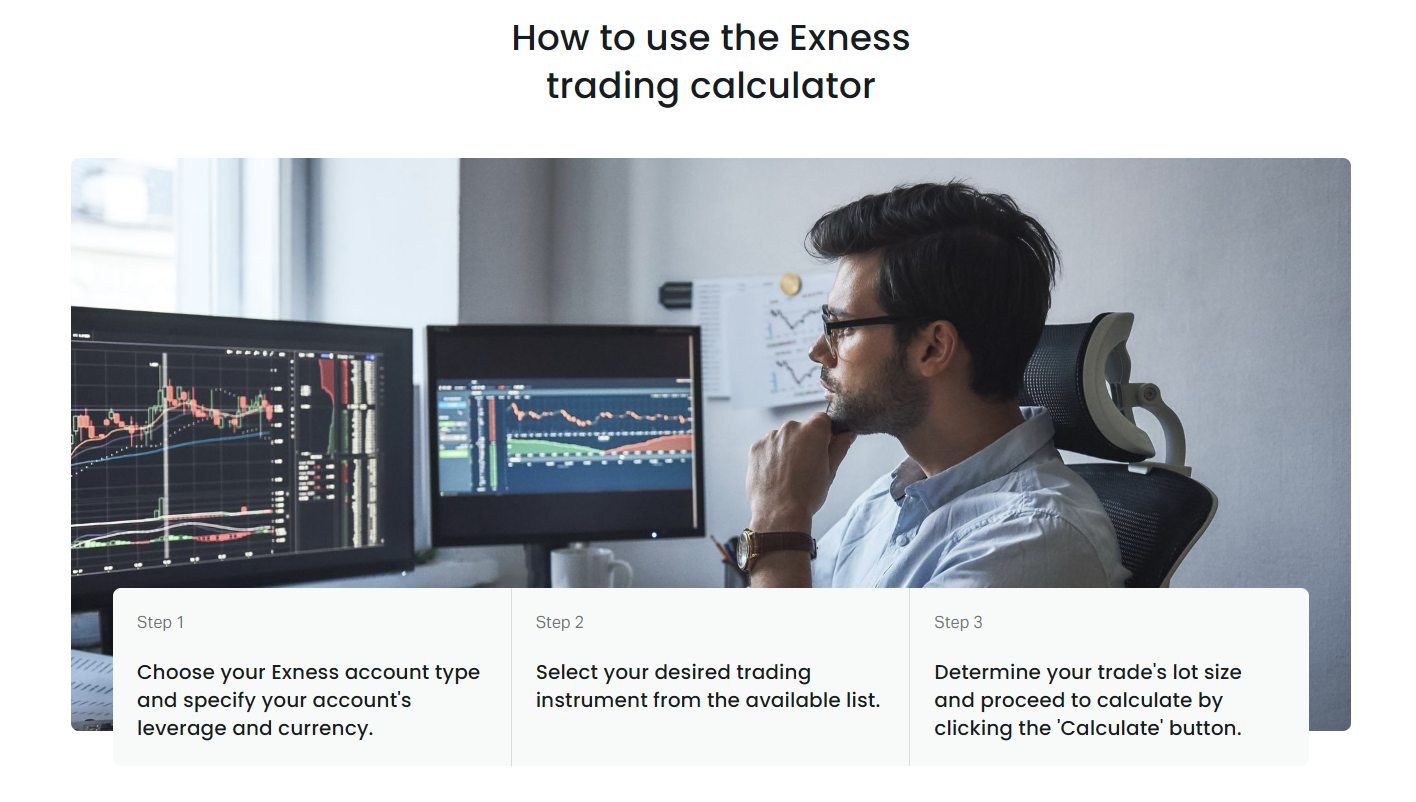
Open the calculator from the Exness tools menu or the trading calculator page. The interface presents a series of dropdowns and input fields. Follow this sequence for consistent results.
- Select your account currency from the dropdown. This determines the output currency for pip value.
- Choose the instrument category: Forex, Metals, Indices, Energies, Stocks, or Crypto.
- Pick the specific symbol. The list reflects Exness tradable assets and updates when the broker adds or removes markets.
- Enter the lot size. Standard lots are 1.0, mini lots 0.1, micro lots 0.01. The calculator accepts fractional lots down to the broker's minimum step.
- Optional: enter entry and exit prices to see profit or loss in account currency for a hypothetical trade.
- Read the pip value result. It displays as a single number in your account currency per pip per lot.
The result updates in real time. Changing the lot size from 1.0 to 0.5 halves the pip value. Switching account currency from USD to EUR recalculates using the current EURUSD rate. No submit button is required.
A useful habit is to keep the calculator open in a browser tab while analyzing setups. When a potential entry forms, plug in the stop-loss distance in pips, multiply by the pip value for your intended lot size, and you instantly know the monetary risk. If it exceeds your risk rule, reduce the lot size until it fits.
Pip Value Examples Across Instruments
The table below shows approximate pip values for a 1.0 standard lot on a USD-denominated account using typical market prices. Actual values fluctuate with exchange rates, especially for cross pairs and non-USD quote currencies.
Scroll horizontally to see all columns
| Instrument | Pip Size | Contract Size | Pip Value (USD) |
|---|---|---|---|
| EURUSD | 0.0001 | 100,000 EUR | $10.00 |
| GBPUSD | 0.0001 | 100,000 GBP | $10.00 |
| USDJPY | 0.01 | 100,000 USD | ~$9.30 (varies) |
| XAUUSD (Gold) | 0.01 | 100 oz | $1.00 |
| XAGUSD (Silver) | 0.001 | 5,000 oz | $5.00 |
| US30 (Dow Jones) | 1.0 | 1 contract | $1.00 |
| US500 (S&P 500) | 1.0 | 1 contract | $1.00 |
| UKOIL (Brent) | 0.01 | 1,000 barrels | $10.00 |
| BTCUSD | 0.01 | 1 BTC | $0.01 |
| AAPL (Apple) | 0.01 | 1 share | $0.01 |
Notice that gold shows $1 per pip per lot, not $10. That is because the pip size is 0.01 and the contract is 100 ounces. A $1 move in gold equals 100 pips, so each pip is $1. Silver at 5,000 ounces with a 0.001 pip size yields $5 per pip. Indices vary by contract specification; US30 and US500 both use $1 per point per contract on Exness.
Why Accurate Pip Calculation Matters for Risk Management
Risk management rules are typically expressed as a percentage of account equity per trade. A common rule is 1% or 2% per position. To apply this rule, you must translate a stop-loss distance in pips into a dollar amount. That translation depends entirely on pip value.
Suppose you have a $10,000 account and risk 1% ($100) per trade. You identify a setup on EURUSD with a 20-pip stop-loss. The calculator shows $10 per pip per lot. At 1.0 lot, the risk is $200, which exceeds your limit. At 0.5 lots, the risk is $100, exactly at your limit. Without the calculator, you might guess 0.3 lots and underutilize capital, or 0.8 lots and overexpose.
The same logic applies to profit targets. If your strategy aims for a 2:1 reward-to-risk ratio, a 20-pip stop implies a 40-pip target. At 0.5 lots on EURUSD, that target represents $200 potential profit. The calculator confirms both sides of the equation instantly.
Multi-instrument portfolios amplify the need for precision. A trader holding EURUSD, XAUUSD, and US30 simultaneously must calculate each position's pip value separately because the contract specifications differ. Aggregating risk across the portfolio requires a common currency denominator, which the calculator provides by outputting everything in account currency.
Manual Calculation vs Exness Calculator
Manual pip calculation is possible and useful for understanding the mechanics. However, it introduces several failure points that the calculator eliminates.
Scroll horizontally to see all columns
| Factor | Manual Calculation | Exness Calculator |
|---|---|---|
| Contract specification lookup | Trader must find and verify | Built-in and current |
| Currency conversion | Requires separate rate feed | Automatic at live rates |
| Pip definition per symbol | Easy to confuse (0.0001 vs 0.01) | Predefined per instrument |
| Swap and margin integration | Separate calculations needed | Available in same tool |
| Speed for multiple scenarios | Slow, error-prone | Instant recalculation |
| Mobile usability | Cumbersome on phone | Responsive web interface |
The most common manual error is applying the wrong pip size. Traders accustomed to forex often assume 0.0001 for gold or indices, leading to position sizes ten or a hundred times larger than intended. The calculator prevents this by locking the pip definition to the selected symbol.
Another frequent mistake is forgetting the quote-to-account currency conversion. A EUR-denominated account trading USDJPY requires the EURJPY rate, not USDJPY. The calculator pulls the correct cross rate automatically. Manual calculators often default to USD conversion, producing incorrect results for non-USD accounts.
Integrating Pip Calculations into Your Trading Strategy
The calculator is not a standalone decision tool. It feeds into a broader workflow that connects analysis, risk rules, and execution. Here is how experienced traders embed it in their process.
- Pre-market: scan watchlist for setups. For each candidate, note the logical stop-loss level in pips based on structure, volatility, or indicator.
- Open calculator, input instrument and account currency. Record pip value per lot.
- Calculate maximum lot size: (account equity × risk %) ÷ (stop-loss pips × pip value per lot). Round down to the broker's lot step.
- Verify margin requirement for that lot size using the margin tab in the same calculator. Ensure free margin covers the position plus a buffer.
- Set pending order or alert at entry price. Attach stop-loss and take-profit levels derived from the same pip measurements.
- Post-trade: review actual outcome versus calculated risk. Adjust future risk percentage if slippage or spread widening consistently alters results.
Some traders build spreadsheets that pull pip values via API or manual entry for dozens of symbols, then rank opportunities by risk-adjusted return. The Exness calculator serves as the authoritative source for the pip value column in such models.
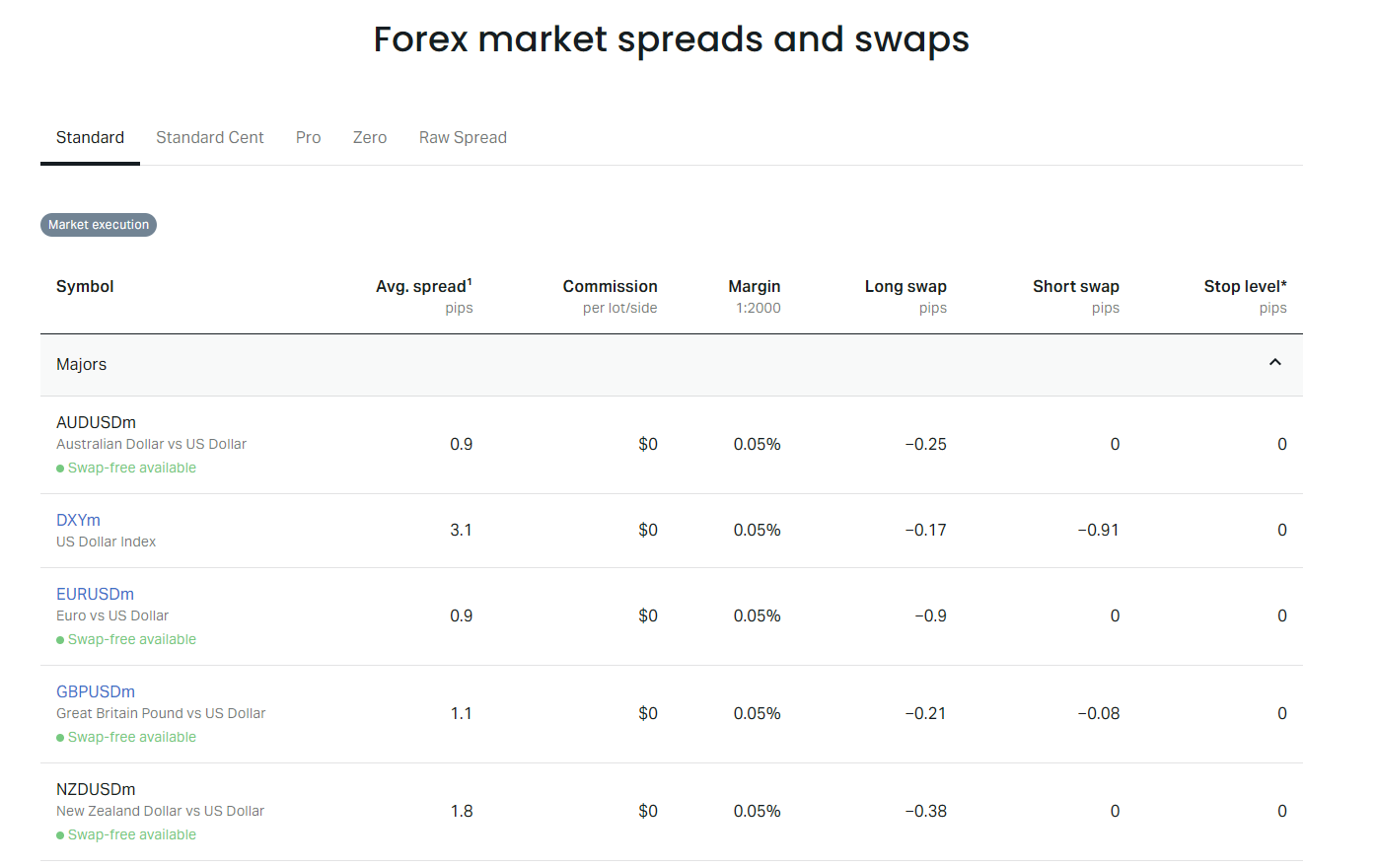
Spread fluctuations matter. During high-impact news, spreads can widen from 0.5 pips to 5 pips on major pairs. The calculator's profit/loss estimate uses the current spread, so re-check it near news events. A widened spread effectively increases the cost per pip and may shift a trade from acceptable to excessive risk.
Common Pip Calculation Mistakes to Avoid
Even with the calculator, traders make errors in how they interpret or apply the output. These are the most frequent and costly.
- Confusing pip value per lot with pip value per position. The calculator shows per lot. Multiply by your actual lot size.
- Using the wrong account currency. If you have multiple Exness accounts in different currencies, ensure the calculator matches the account you will trade from.
- Ignoring swap charges on overnight positions. Swap is not a pip value, but it adds or subtracts from net profit/loss. The calculator includes a swap tab.
- Assuming pip value is static. For cross pairs and non-USD accounts, pip value changes as the cross rate moves. Recalculate if holding positions across sessions.
- Applying forex pip logic to crypto or stocks. BTCUSD at 0.01 pip size means a $1 move equals 100 pips, not 1 pip. The calculator handles this; intuition does not.
- Forgetting that cent accounts multiply lot size by 100. A 1.0 lot on a cent account equals 0.01 standard lots. Pip value scales accordingly.
Advanced Pip Calculator Features
Beyond the basic pip value, the Exness trading calculator includes tabs for margin, swap, and profit/loss simulation. These features share the same instrument and lot inputs, so switching tabs preserves your scenario.
The margin tab shows required margin for the selected lot size at current leverage. This helps verify that your account can support the position before you commit. The swap tab displays daily swap rates for long and short positions, quoted in account currency. For carry trades or multi-day holds, this is essential.
The profit/loss tab accepts entry and exit prices, then computes gross result, spread cost, swap accrual, and net profit or loss. It is effectively a trade simulator. Use it to stress-test a setup: what happens if price moves 50 pips against you before reversing? What if the trade runs overnight and incurs three days of swap?
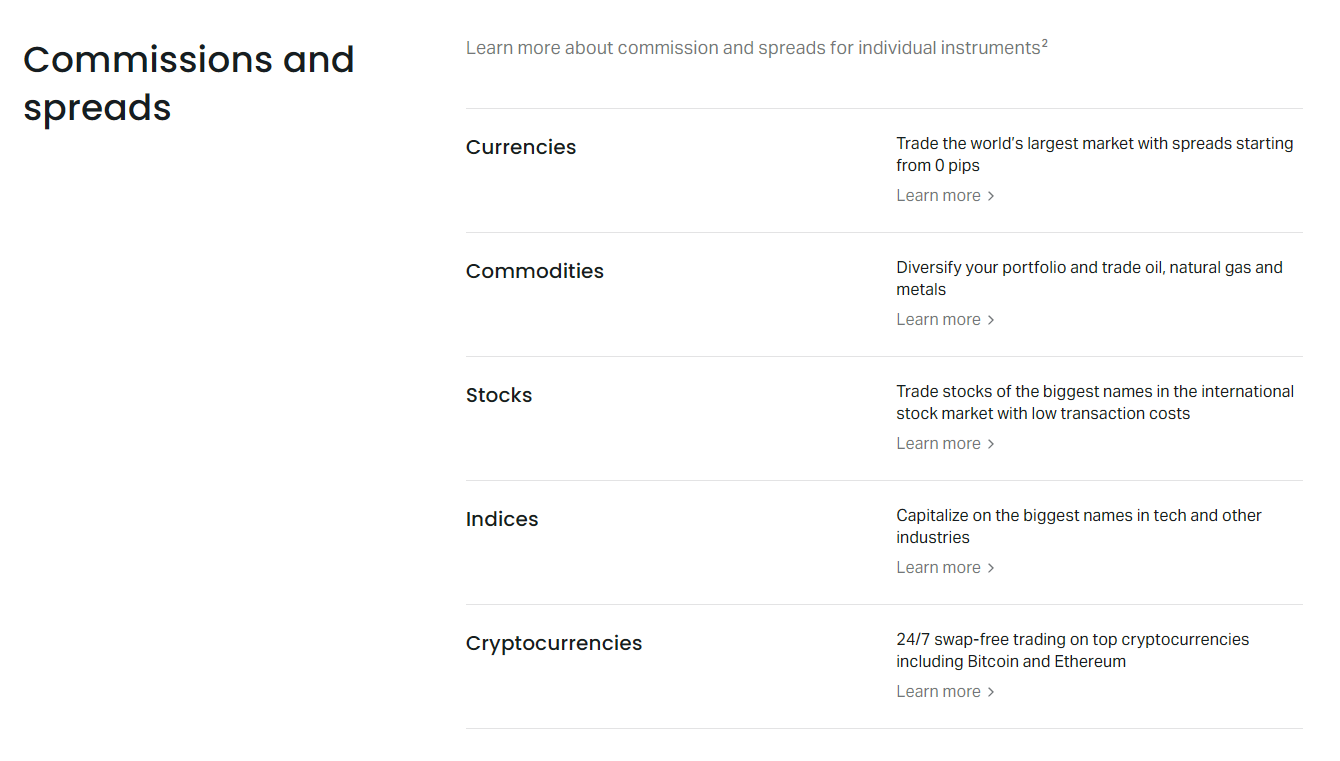
Account type affects the numbers. Raw Spread and Zero accounts charge commission per lot per side, which the calculator includes in the profit/loss tab. Standard and Standard Cent accounts have no commission but wider spreads. Select the correct account type in the calculator to match your live conditions.
Pip Calculator for Different Account Types
Exness offers several account types, each with distinct cost structures. The pip value itself does not change, but the net cost per trade does. Understanding the interaction helps you choose the right account for your strategy.
Scroll horizontally to see all columns
| Account Type | Commission | Typical Spread (EURUSD) | Best For |
|---|---|---|---|
| Standard | None | ~1.0 pip | Beginners, low frequency |
| Standard Cent | None | ~1.0 pip | Micro risk, learning |
| Raw Spread | $3.5 per side per lot | ~0.0-0.2 pip | Scalpers, high frequency |
| Zero | $3.5 per side per lot | 0.0 pip (fixed) | Algo, news traders |
| Pro | None | ~0.5 pip | Experienced, swing traders |
For a scalper targeting 5 pips on EURUSD, the Raw Spread account saves roughly 0.8 pips in spread but costs $7 round-trip commission ($70 per 10 lots). On a 5-pip target, that commission equals 7 pips of profit. The calculator's profit/loss tab makes this trade-off visible by netting commission against gross pip gain.
Cent accounts deserve special mention. They denominate balance in cents, so $100 appears as 10,000 cents. A 1.0 lot on a cent account equals 0.01 standard lots (1,000 units of base currency). The calculator adjusts automatically when you select a cent account currency, but the lot size input still refers to standard lots. Enter 0.01 for a cent-account micro lot.
Using the Calculator on Mobile and Desktop
The Exness calculator is a responsive web page. It works in any modern browser without installation. On mobile, the layout stacks vertically. Dropdowns expand to full-width selectors. Numeric inputs trigger the device keyboard. All functionality mirrors the desktop version.
Traders who use the Exness Trade app can access a simplified calculator from the tools menu. It covers pip value, margin, and swap but omits the full profit/loss simulator. For detailed scenario testing, the web version remains superior.
Pip Calculation for Algorithmic and Copy Trading
Algorithmic traders often need pip values programmatically. Exness does not publish a public pip calculator API, but the contract specifications are available via the MT4/MT5 symbol properties. Developers can replicate the calculation in their bots using the same formula the web calculator uses.
For copy trading investors, the pip calculator helps evaluate signal providers. A provider risking 50 pips per trade on XAUUSD with 2.0 lots exposes followers to $100 per trade per lot copied. If you allocate $1,000 to copy at a 0.1 multiplier, your risk per trade is $10. The calculator converts the provider's pip risk into your account currency instantly.
Social trading platforms sometimes display risk in pips without context. Always translate to monetary terms using your actual account settings. A 30-pip stop on EURUSD is $300 per lot. On US30, it is $30 per lot. The difference changes portfolio risk dramatically.
Frequently Asked Questions
Does the Exness pip calculator work for all account currencies?
Yes. The calculator supports every base currency Exness offers, including USD, EUR, GBP, CHF, JPY, AUD, CAD, NZD, SGD, HKD, and others. Select your account currency before choosing the instrument.
Is the pip value shown per lot or per position?
The result is pip value per standard lot (1.0). Multiply by your actual lot size to get the pip value for your position. For example, 0.25 lots at $10 per pip per lot equals $2.50 per pip.
How often does the calculator update exchange rates for cross-currency conversion?
The calculator uses live market rates from Exness pricing engines. Rates refresh continuously during market hours. For the most accurate result, calculate immediately before placing the trade.
Can I use the calculator for instruments not listed in the dropdown?
The dropdown contains all currently tradable symbols on Exness. If an instrument is missing, it may be temporarily unavailable or restricted in your region. Check the Exness contract specifications page for the full list.
Does the calculator include commission in the pip value?
No. Pip value represents raw price movement. Commission, spread, and swap are separate costs shown in the profit/loss and swap tabs. For Raw Spread and Zero accounts, add commission to your cost estimate.
What is the difference between a pip and a point on Exness?
On Exness, a pip is the standard increment (fourth decimal for most forex). A point is the fifth decimal (0.00001), also called a pipette. The calculator uses pips. Ten points equal one pip.
How do I calculate pip value for a cent account?
Select your cent account currency (e.g., USCent) in the calculator. Enter lot size in standard lots. A 0.01 standard lot on a cent account equals 1 cent lot. The calculator outputs pip value in cents.
Is there a downloadable version of the pip calculator?
Exness does not offer a standalone downloadable calculator. The web version is the official tool. Third-party Excel sheets or MT4 indicators can replicate the logic using contract specifications from the Exness website.
Final Assessment of Exness Pip Calculator
The Exness pip calculator is a reliable, broker-specific tool that eliminates the most common sources of position-sizing error. Its strength lies in using live contract specifications and real-time cross rates rather than static assumptions. For traders who manage risk by percentage of equity, it is an essential daily utility.
The interface is functional but not flashy. It does not store historical scenarios or export data. Traders who need batch processing or audit trails will still build their own spreadsheets, using the calculator as the reference source. The integration of margin, swap, and profit/loss tabs in one page reduces context switching.
One limitation: the calculator does not account for dynamic margin requirements that change at higher leverage tiers or during specific market hours. Exness adjusts margin for some instruments on weekends or before major news. Check the margin tab close to trade time, not days in advance.
Overall, the calculator does exactly what it promises. It converts pips to money accurately, instantly, and for every asset Exness offers. That precision is the difference between disciplined risk management and guesswork. Use it before every trade, and you will avoid the sizing errors that silently erode accounts.