

Forex Trading Guides
Exness AUDUSD Trading Conditions and Platform Features
Complete guide to trading the Australian dollar against US dollar on Exness broker platforms.

Senior Forex Trader & Market Analyst
Daniel Chen is an experienced forex trader and financial market analyst with over 15 years of experience in currency trading. He specializes in technical analysis, risk management, and developing practical trading strategies to help traders make informed decisions.
The AUDUSD pair represents the Australian dollar against the US dollar, one of the most actively traded currency pairs in the forex market. It attracts traders because of its liquidity, clear technical patterns, and sensitivity to commodity prices and interest rate differentials. Exness offers this pair across all its account types with competitive conditions that suit both short-term scalpers and longer-term position traders.
Contents
- 1. Why Trade AUDUSD on Exness
- 2. AUDUSD Spread and Commission Structure
- 3. Trading Platforms for AUDUSD
- 3.1. MetaTrader 4 for AUDUSD
- 3.2. MetaTrader 5 for AUDUSD
- 3.3. Exness Web Terminal
- 3.4. Mobile Trading Apps
- 4. Account Types and AUDUSD Conditions
- 5. Leverage and Margin Requirements
- 6. Trading Hours and Session Overlaps
- 7. Risk Management Tools for AUDUSD
- 8. Deposit and Withdrawal for AUDUSD Traders
- 9. Analytical Resources for AUDUSD
- 10. Common AUDUSD Strategies on Exness
- 11. Final Assessment of Exness AUDUSD Trading
Trading AUDUSD on Exness means accessing the pair through multiple platforms, each with its own execution model and toolset. The broker provides MetaTrader 4, MetaTrader 5, a proprietary web terminal, and mobile applications. Spreads vary by account type, and commissions apply on certain professional accounts. Understanding these differences helps you choose the setup that matches your strategy.
This guide covers the practical details of trading AUDUSD on Exness: spreads, commissions, platforms, account types, leverage, trading hours, and risk management tools. It also addresses deposit and withdrawal considerations for traders who focus on this pair. The information reflects standard Exness offerings as of the current period, but specific numbers can change, so always verify the latest conditions in your personal area before trading.
AUDUSD tends to move actively during the Asian and early European sessions, with increased volatility around Australian economic releases and US data. The pair often correlates with gold and copper prices, making it a proxy for commodity sentiment. Exness provides the infrastructure to trade these moves with low latency and flexible position sizing.
Why Trade AUDUSD on Exness
Exness has built its reputation on execution speed, transparent pricing, and a wide range of account options. For AUDUSD specifically, the broker offers raw spread accounts where the spread can approach zero during liquid hours, with a commission per lot. Standard accounts incorporate the cost into the spread with no commission. This flexibility lets you match the cost structure to your trading frequency and style.
The broker also provides instant withdrawal processing for most payment methods, which matters when you want to move profits quickly. Client funds are segregated, and the company operates under multiple regulatory licenses. These factors reduce operational friction so you can focus on the trade itself rather than platform reliability or fund access.
- Raw spread accounts with commission-based pricing for high-frequency AUDUSD strategies
- Standard accounts with all-inclusive spreads for simpler cost calculation
- Unlimited leverage available on certain account types for experienced traders
- Multiple execution venues contributing to deep liquidity on major pairs
- No requotes on market execution accounts during normal conditions
The pair's popularity means Exness maintains tight spreads even during moderate volatility. During major news events like RBA rate decisions or US non-farm payrolls, spreads widen temporarily across the industry. Exness tends to normalize spreads faster than some competitors once liquidity returns, which can be an advantage for traders who keep positions through news.
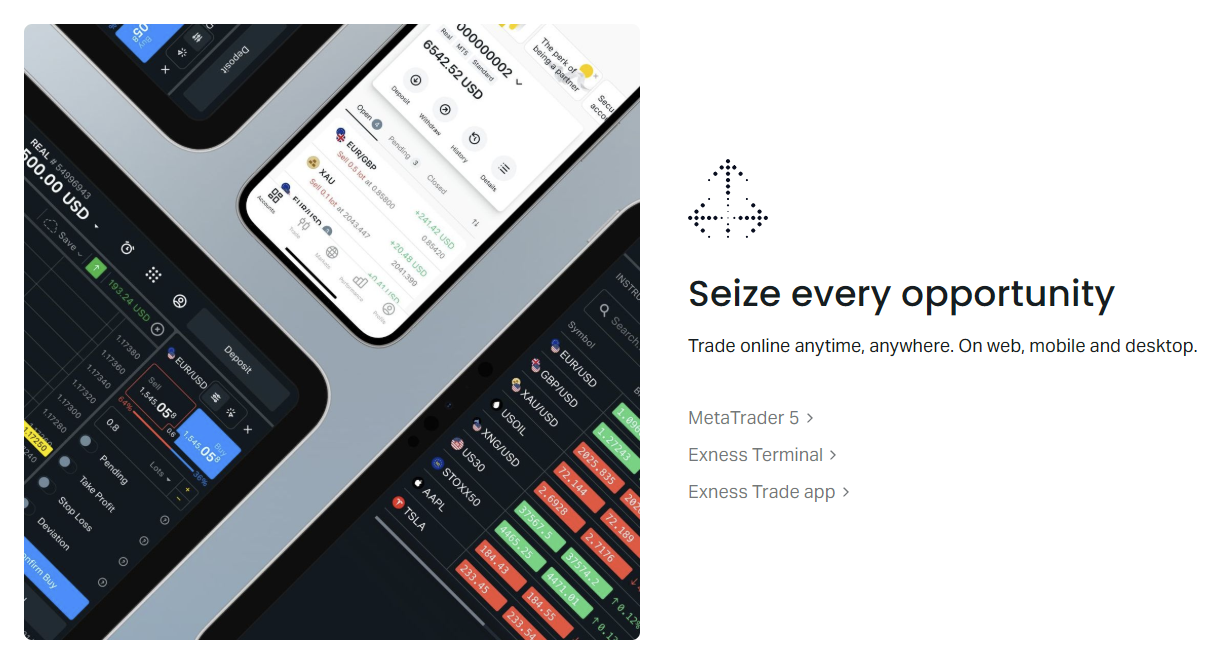
Platform choice affects how you analyze and execute AUDUSD trades. MetaTrader 4 remains the most widely used platform globally, with a massive library of custom indicators and expert advisors. MetaTrader 5 adds more timeframes, an economic calendar, and improved order management. The Exness web terminal works in any browser without installation, useful for quick access or restricted environments. Mobile apps for iOS and Android mirror desktop functionality for position management on the go.
AUDUSD Spread and Commission Structure
Spreads on AUDUSD differ significantly between account types. On Standard and Standard Cent accounts, the spread is floating and includes the broker's markup. Typical spreads during peak liquidity range from 0.7 to 1.2 pips, though they can widen during low-liquidity periods or major news. No commission is charged on these accounts; the spread is the total cost.
Raw Spread and Zero accounts offer spreads starting from 0.0 pips on AUDUSD during the most liquid hours, with a fixed commission per lot per side. The commission is typically $3.50 per lot per side on Raw Spread and varies on Zero accounts depending on the instrument. For a round trip on one standard lot, that equals $7 in commission plus any residual spread. High-volume traders often prefer this model because the total cost per trade can be lower than the all-in spread on standard accounts.
Scroll horizontally to see all columns
| Account Type | Typical Spread | Commission (per lot/side) | Best For |
|---|---|---|---|
| Standard | 0.7-1.2 pips | None | Swing traders, lower frequency |
| Standard Cent | 0.7-1.2 pips | None | Micro position sizing, beginners |
| Raw Spread | 0.0-0.3 pips | $3.50 | Scalpers, high-frequency, EA users |
| Zero | 0.0-0.2 pips | Varies by instrument | Professional volume traders |
| Pro | 0.1-0.5 pips | None | Experienced traders, no commission |
The Pro account sits between standard and raw models. It offers tighter spreads than Standard accounts without a separate commission, achieved through a different liquidity mix. This can suit traders who want predictable costs without calculating commission per trade. However, Pro accounts typically require a higher minimum deposit.
Swap rates on AUDUSD depend on the interest rate differential between the Reserve Bank of Australia and the Federal Reserve. When the RBA cash rate exceeds the Fed funds rate, holding a long AUDUSD position overnight typically earns a positive swap. The reverse applies when US rates are higher. Exness publishes current swap rates in the contract specifications and in the trading platform. Swap-free accounts are available for traders who cannot earn or pay interest for religious reasons.
Trading Platforms for AUDUSD
Exness supports four main ways to trade AUDUSD. Each platform connects to the same pricing engine but offers different analytical tools, order types, and user experiences. Your choice depends on whether you prioritize custom indicators, browser access, mobile flexibility, or algorithmic trading.
MetaTrader 4 for AUDUSD
MT4 remains the default choice for many forex traders. It supports nine timeframes, 30 built-in indicators, and unlimited custom indicators through the MQL4 language. Expert advisors automate strategies on AUDUSD with backtesting on historical data. The platform uses hedging mode by default, allowing multiple positions in opposite directions on the same pair. One-click trading from the chart speeds up entry and exit for scalpers.
Exness provides MT4 for Windows, macOS, iOS, and Android. The desktop version supports multiple charts per screen, custom templates, and profile saving. Mobile apps include push notifications for price alerts and order fills. The WebTrader version runs in a browser with most desktop features, though custom indicators and EAs require the installed version.
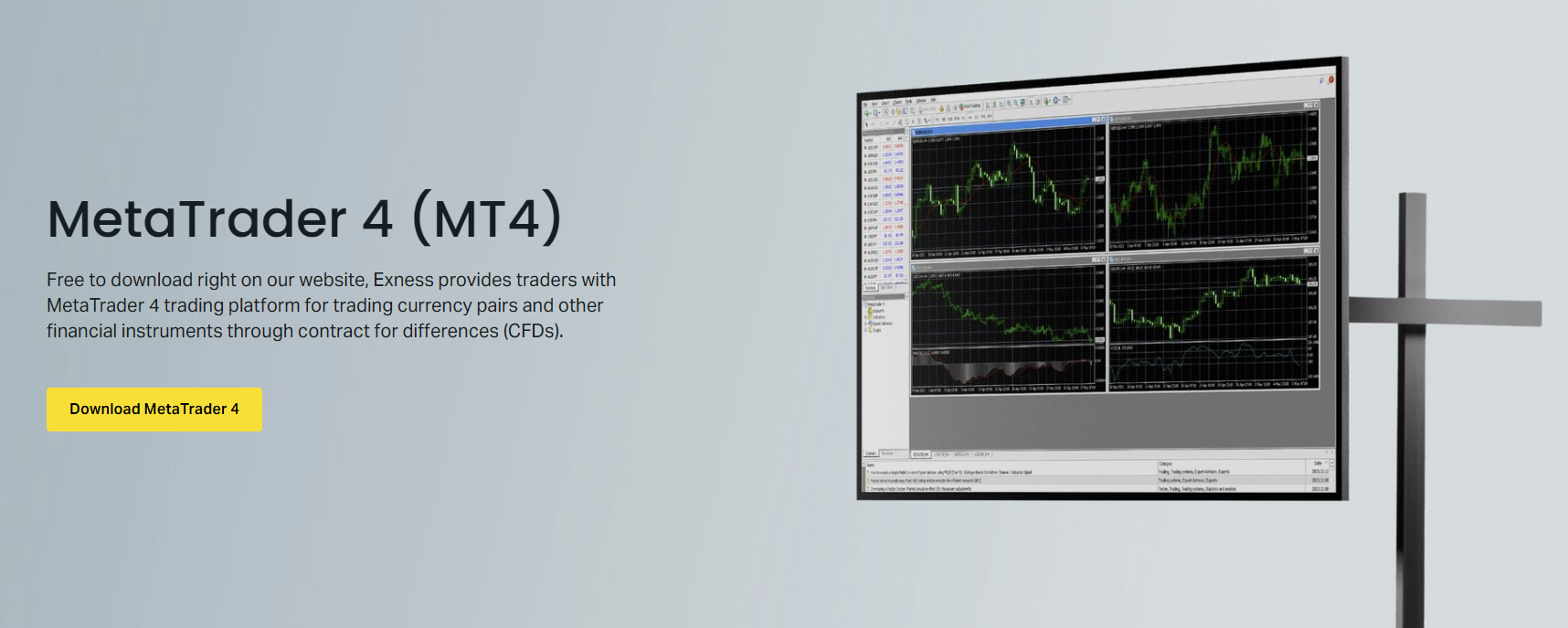
For AUDUSD specifically, MT4's strength lies in its ecosystem. Thousands of free and paid indicators target this pair, from session highlighters to correlation matrices. If you rely on community-developed tools or have existing MQL4 code, MT4 is the practical choice. The platform handles high tick volume well, though it lacks native depth of market and netting mode.
MetaTrader 5 for AUDUSD
MT5 expands on MT4 with 21 timeframes, 38 built-in indicators, and an integrated economic calendar. It supports both hedging and netting modes, the latter consolidating positions into a single net position per symbol. The MQL5 language is more powerful for complex EAs, and the strategy tester uses multi-threaded optimization across CPU cores. Depth of market shows liquidity levels for AUDUSD, useful for larger orders.
The platform also includes a built-in fundamental analysis tab with financial news and calendar events. For AUDUSD traders who combine technical and fundamental approaches, having the RBA calendar and commodity news inside the platform reduces context switching. MT5 handles more symbols and charts simultaneously without performance degradation.
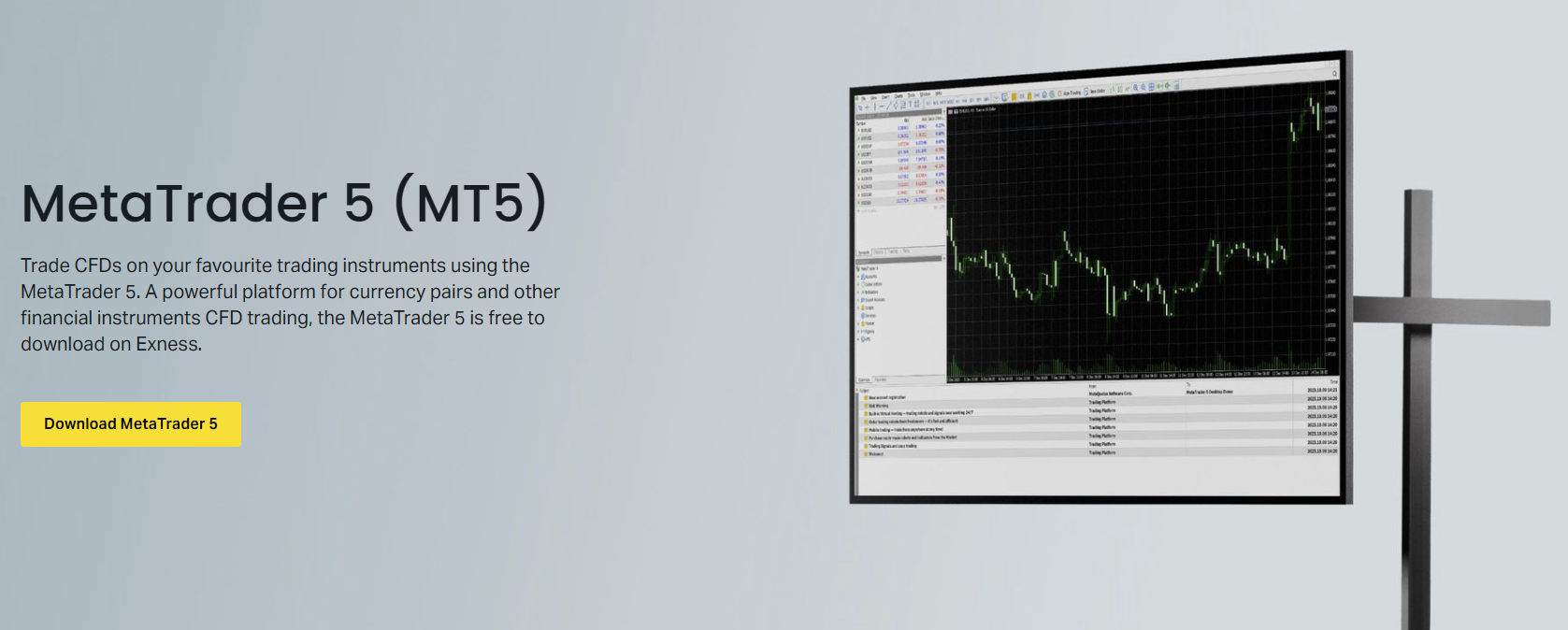
Migration from MT4 to MT5 requires rewriting indicators and EAs in MQL5, as the languages are not compatible. Some traders run both platforms simultaneously during transition. Exness offers both on the same account credentials, so you can test MT5 on a demo account while keeping live positions on MT4.
Exness Web Terminal
The proprietary web terminal runs in any modern browser without installation. It provides a clean charting interface with TradingView-powered charts, multiple timeframes, drawing tools, and a selection of indicators. Order entry supports market, limit, and stop orders with one-click execution. The terminal remembers your layout and indicator settings across sessions.
For AUDUSD traders, the web terminal is practical when you cannot install software — corporate environments, shared computers, or quick checks while traveling. It lacks custom indicator support and algorithmic trading, so it suits discretionary traders who rely on price action, basic indicators, and drawing tools. Latency is slightly higher than desktop platforms due to the browser layer, but generally acceptable for non-scalping strategies.
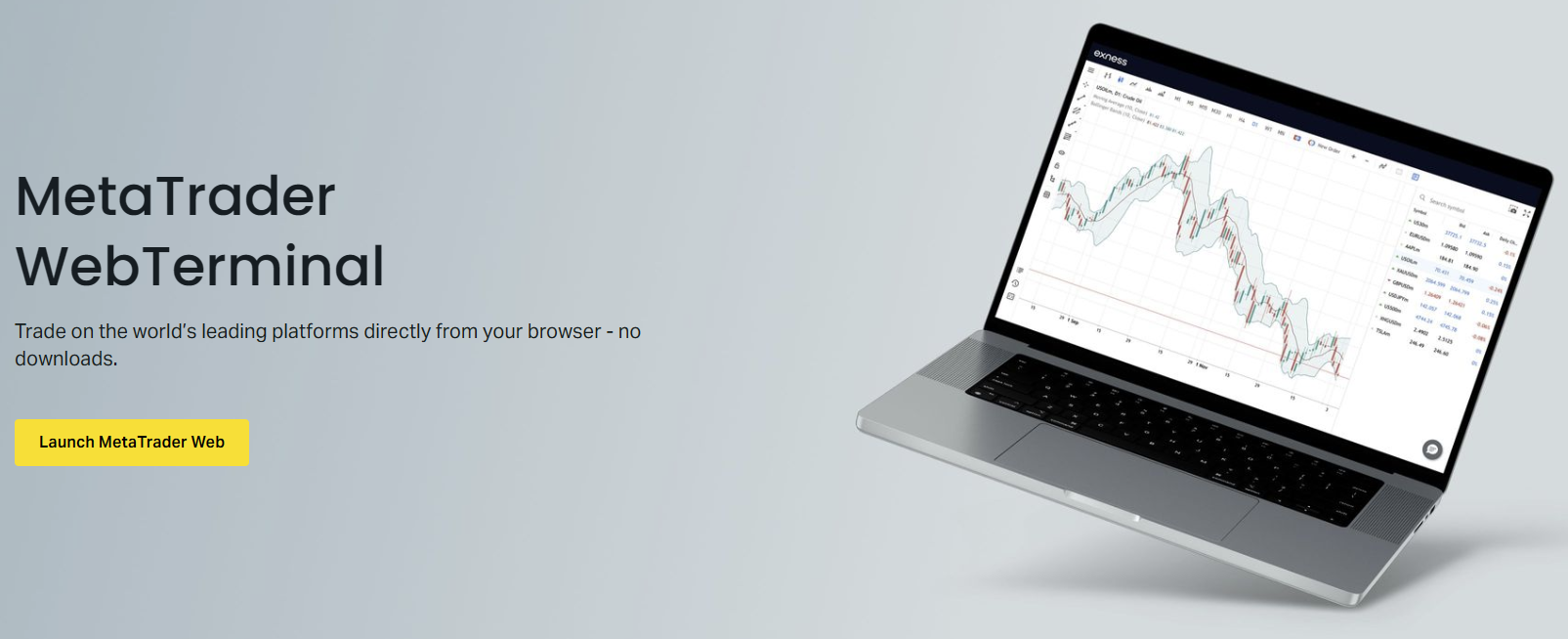
The web terminal integrates with the Exness personal area, allowing deposits, withdrawals, and account management without leaving the browser. This unified experience reduces friction when you need to fund an account quickly to meet margin requirements on an AUDUSD position.
Mobile Trading Apps
Exness offers native iOS and Android apps for both MT4 and MT5, plus a standalone Exness Trade app. The MetaTrader mobile apps replicate most desktop functionality: interactive charts, indicator overlays, order management, and trade history. Push notifications alert you to price levels, margin calls, and order fills. The Exness Trade app adds a simplified interface focused on quick execution, account overview, and integrated analytics.
Mobile apps are essential for managing AUDUSD positions during the Asian session if you trade from a different time zone. You can adjust stops, take partial profits, or close positions without desktop access. The apps sync with desktop platforms, so chart templates and indicator settings remain consistent. Biometric login and two-factor authentication secure account access.
The best platform is the one you actually use consistently. A perfect setup you never open beats a powerful platform that frustrates you.
Account Types and AUDUSD Conditions
Exness offers five main account categories, each with distinct AUDUSD trading conditions. The choice affects your cost structure, minimum deposit, leverage availability, and execution model. Most traders start with Standard or Standard Cent accounts and migrate to Raw Spread or Pro as volume increases.
Scroll horizontally to see all columns
| Account | Min Deposit | Max Leverage | Execution | AUDUSD Spread Type |
|---|---|---|---|---|
| Standard | $1 | Unlimited* | Market | Floating, no commission |
| Standard Cent | $1 | Unlimited* | Market | Floating, no commission |
| Pro | $200 | Unlimited* | Market | Tighter floating, no commission |
| Raw Spread | $200 | 1:2000 | Market | Near-zero + commission |
| Zero | $200 | 1:2000 | Market | Zero spread + commission |
Unlimited leverage is available on Standard, Standard Cent, and Pro accounts for traders who meet specific equity and volume thresholds. The feature activates automatically when conditions are met. Raw Spread and Zero accounts cap leverage at 1:2000. High leverage reduces margin requirements but increases risk of stop-out during adverse moves. Use it deliberately, not by default.
Professional accounts (Pro, Raw Spread, Zero) require a $200 minimum deposit. They offer tighter spreads and, on Raw Spread and Zero, commission-based pricing. The Pro account appeals to traders who want tighter spreads without commission calculations. Raw Spread suits algorithmic and high-frequency strategies where the commission is offset by spread savings. Zero accounts target the highest volume traders with the tightest possible spreads.
Islamic (swap-free) versions exist for all account types. They replace overnight swaps with a fixed administration fee per lot per night after a grace period (typically 3-7 days). The fee varies by instrument. For AUDUSD, check the current fee schedule in your personal area, as it changes with interest rate differentials.
Leverage and Margin Requirements
Leverage determines how much margin Exness holds for each AUDUSD position. Higher leverage means less margin per lot, freeing capital for other trades or withdrawals. However, it also means smaller adverse moves can trigger margin call or stop-out. Exness uses a dynamic leverage system on most accounts: as your total open volume increases, the maximum leverage on new positions decreases automatically.
For AUDUSD, the margin calculation is straightforward: contract size (100,000 AUD for one standard lot) divided by leverage, converted to your account currency at the current rate. At 1:100 leverage, one lot requires 1,000 AUD margin. At 1:500, it requires 200 AUD. At unlimited leverage (when qualified), margin approaches zero for smaller positions, though a minimal maintenance margin always applies.
- Margin call level: 60% on most accounts (equity falls to 60% of used margin)
- Stop-out level: 0% on most accounts (positions close automatically at zero equity)
- Dynamic leverage tiers reduce max leverage as total volume grows
- Weekend leverage may be reduced to 1:200 on some accounts
- Hedged positions require margin on the larger leg only
The stop-out at 0% means Exness will close positions one by one until equity recovers above zero. This differs from brokers who stop out at 20% or 50% margin level. The 0% stop-out gives more room for drawdown but requires discipline — you can lose the entire account balance if positions move against you without manual intervention.
Trading Hours and Session Overlaps
AUDUSD trades 24 hours a day, five days a week, from Monday 00:00 server time to Friday 23:59 server time. Exness server time is GMT+2 (GMT+3 during US daylight saving). The pair is most active during the Sydney session (22:00-07:00 GMT) and Tokyo session (00:00-09:00 GMT), with a second wind during the London-New York overlap (13:00-17:00 GMT).
Spreads are tightest during the London-New York overlap when global forex volume peaks. The Sydney session offers genuine AUDUSD liquidity because Australian banks and corporations are active. The Tokyo session adds Japanese institutional flow. The quietest period is typically 17:00-22:00 GMT between New York close and Sydney open, when spreads widen and slippage risk increases.
Scroll horizontally to see all columns
| Session | Hours (GMT) | Liquidity | Typical Spread |
|---|---|---|---|
| Sydney | 22:00-07:00 | High | Tight |
| Tokyo | 00:00-09:00 | Medium-High | Tight |
| London | 08:00-17:00 | High | Tightest |
| New York | 13:00-22:00 | High | Tight |
| Dead Zone | 17:00-22:00 | Low | Widest |
Exness maintains pricing during the daily 23:59-00:01 server time rollover, but spreads widen significantly for 5-10 minutes as liquidity providers reset. Avoid market orders during this window unless necessary. Pending orders placed before rollover execute at the first available price after, which may differ from your expected level.
Australian economic releases occur mostly during the Sydney session. Key events include RBA rate decisions (first Tuesday monthly, 04:30 GMT), employment (monthly, 00:30 GMT), CPI (quarterly, 00:30 GMT), and retail sales (monthly, 00:30 GMT). Chinese data (PMI, trade balance, GDP) also moves AUDUSD during Asian hours. US releases during New York session drive the USD side. The Exness economic calendar in MT5 and the web terminal flags these events with expected impact ratings.
Risk Management Tools for AUDUSD
Exness provides several platform-level and account-level tools to manage risk on AUDUSD positions. The most basic are stop loss and take profit orders, which can be set at position entry or modified afterward. Trailing stops lock in profits as the price moves favorably, though they only function while the platform is running (MT4/MT5 desktop) or are server-side (web terminal, mobile apps with server-side trailing).
The Exness trading calculator, accessible in the personal area and web terminal, computes margin, pip value, swap, and profit/loss for hypothetical AUDUSD trades. Input your account currency, leverage, position size, and entry/exit prices to see exact numbers. This helps size positions to match your risk parameters before entering.
Negative balance protection ensures you cannot lose more than your account equity. If a flash crash or gap moves AUDUSD against you faster than stop-outs can execute, Exness absorbs the residual loss and resets the account to zero. This protection applies to all retail clients under applicable regulations. Professional clients may have different terms.
- Stop loss and take profit on every order
- Trailing stop (client-side on MT4/MT5 desktop, server-side elsewhere)
- Margin level indicator in platform (color-coded: green > 500%, yellow 100-500%, red < 100%)
- Trading calculator for pre-trade analysis
- Negative balance protection for retail accounts
- Custom alerts via platform notifications or email/SMS
Partial close functionality lets you reduce exposure incrementally. On MT4/MT5, right-click a position and select 'Modify or Delete' to close part of the lot size. The web terminal and mobile apps have dedicated partial close buttons. This is useful for scaling out of winning AUDUSD trades at multiple take-profit levels while leaving a runner with a trailing stop.
Deposit and Withdrawal for AUDUSD Traders
Funding speed matters when you need to meet margin calls or capitalize on AUDUSD setups. Exness supports bank cards, electronic wallets (Skrill, Neteller, WebMoney, Perfect Money), bank wire, and regional methods. Most electronic methods process deposits instantly. Bank wires take 1-3 business days. Minimum deposit is $1 on Standard and Standard Cent accounts, $200 on professional accounts.
Withdrawals use the same method as deposits where possible, per anti-money laundering rules. Exness processes withdrawal requests 24/7, including weekends. Electronic wallet withdrawals are typically instant after approval. Card refunds take 1-14 business days depending on the issuer. Bank wires take 1-5 business days. No fees are charged by Exness for deposits or withdrawals, though payment providers may apply their own fees.
Currency conversion applies if your account currency differs from the payment method currency. Exness uses its internal conversion rate, which includes a spread. For AUDUSD traders with AUD-denominated accounts, depositing in AUD avoids conversion costs. USD-denominated accounts are standard for most international traders. Choose your account currency during registration; it cannot be changed later without opening a new account.
Fast withdrawals are a feature, not a promise. Test the full deposit-withdrawal cycle with a small amount before committing significant capital.
Analytical Resources for AUDUSD
Exness provides integrated analytical tools that help AUDUSD traders make informed decisions. The economic calendar in MT5 and the web terminal covers Australian, Chinese, and US events with consensus forecasts and previous values. Market news from FXStreet streams in the terminal, filtered by currency. The TradingView charts in the web terminal include 100+ indicators and drawing tools.
The Exness personal area includes a market analysis section with daily technical outlooks on major pairs including AUDUSD. These are prepared by the broker's analytics team and cover key levels, trend bias, and alternative scenarios. They are not trading signals but can confirm or challenge your own analysis. The section also covers commodity markets, which drive AUDUSD correlation.
- Economic calendar with AUD, CNY, USD filters
- FXStreet news feed in platform and web terminal
- TradingView charts with full indicator suite
- Daily technical analysis on major pairs
- Commodity market commentary (gold, copper, iron ore)
- Trading Central signals plugin for MT4/MT5 (separate activation)
Trading Central provides pattern recognition, key levels, and short-term directional indicators directly on MT4/MT5 charts. It identifies formations like triangles, wedges, and channels on AUDUSD across multiple timeframes. The tool is free for Exness clients who meet minimal volume requirements. It does not replace analysis but can highlight patterns you missed.
The best analysis combines your chart reading with awareness of the fundamental calendar. A perfect technical setup fails if you ignore the RBA meeting at 04:30 GMT.
Common AUDUSD Strategies on Exness
The AUDUSD pair suits several common forex strategies. Trend following works well during sustained commodity cycles or clear interest rate divergence. Range trading exploits the pair's tendency to respect key levels during low-volatility periods. Breakout strategies target the volatility expansion around session opens and economic releases. Carry trade strategies (less common recently) involve holding long AUDUSD when Australian rates exceed US rates to earn positive swap.
Scalpers favor Raw Spread or Zero accounts for the near-zero spreads during London-New York overlap. They typically trade 1-minute to 5-minute charts with tight stops, aiming for 3-10 pips per trade. Exness market execution with no requotes supports this style, though slippage can occur during news. The web terminal is less suitable for scalping due to slightly higher latency.
Swing traders hold positions for days to weeks, using 4-hour to daily charts. They often use Standard or Pro accounts where the all-in spread matters less than swap costs over the holding period. Positive swap on long AUDUSD (when RBA > Fed) adds to returns; negative swap on shorts detracts. Swing traders must monitor margin levels over weekends when leverage may be reduced.
Scroll horizontally to see all columns
| Strategy | Best Account | Timeframe | Key Consideration |
|---|---|---|---|
| Scalping | Raw Spread / Zero | M1-M5 | Commission vs spread savings |
| Day Trading | Raw Spread / Pro | M15-H1 | Session overlap liquidity |
| Swing Trading | Standard / Pro | H4-D1 | Swap accumulation |
| Position Trading | Standard / Pro | D1-W1 | Rollover costs, leverage changes |
| Algorithmic/EA | Raw Spread / Zero | Any | VPS for 24/7 uptime |
Exness offers a free VPS for clients who meet monthly volume thresholds (typically 5 lots round trip). The VPS runs MT4/MT5 with low latency to Exness servers, essential for EAs that trade AUDUSD during Asian session while you sleep. The VPS specification includes 1 CPU core, 1 GB RAM, and 30 GB SSD — sufficient for several EAs. Apply through the personal area once qualified.
Final Assessment of Exness AUDUSD Trading
Exness provides a complete environment for trading AUDUSD: multiple account types with transparent cost structures, four platform options covering every access need, competitive spreads that tighten during peak liquidity, and reliable execution with instant withdrawals. The broker's strength lies in operational consistency — spreads, execution, and withdrawals behave predictably under normal conditions, and the platform rarely surprises you with technical issues.
The main trade-offs are straightforward. Standard accounts simplify cost calculation but cost more per trade for high-frequency strategies. Raw Spread and Zero accounts reduce per-trade cost but require commission tracking and higher minimum deposits. Unlimited leverage offers flexibility but demands discipline. The 0% stop-out level gives maximum rope but requires active risk management. No account type eliminates the fundamental risks of forex trading: leverage amplification, gap risk, and correlation concentration.
For AUDUSD specifically, the pair's session alignment with Exness server time (GMT+2/3) means the Sydney and Tokyo opens fall at convenient chart times (22:00 and 00:00 server time). The London-New York overlap at 13:00-17:00 server time provides the tightest spreads for intraday strategies. Australian economic releases occur during active session hours rather than the dead zone, so you can trade the reaction in real time rather than facing morning gaps.
If you are new to AUDUSD or Exness, start with a Standard Cent account to experience live execution with minimal risk. Move to Standard when consistent, then evaluate Raw Spread or Pro based on your volume and cost sensitivity. Use the trading calculator for every position. Set stop losses. Withdraw profits regularly to test the process. The broker's conditions support serious trading, but your process determines the outcome.
Frequently Asked Questions
What is the minimum deposit to trade AUDUSD on Exness?
The minimum deposit is $1 for Standard and Standard Cent accounts. Professional accounts (Pro, Raw Spread, Zero) require a $200 minimum deposit.
Does Exness charge commission on AUDUSD trades?
Standard and Standard Cent accounts have no commission — the cost is included in the spread. Pro accounts also have no commission with tighter spreads. Raw Spread and Zero accounts charge a commission per lot per side (typically $3.50 on Raw Spread) with near-zero spreads.
What leverage is available for AUDUSD on Exness?
Standard, Standard Cent, and Pro accounts offer unlimited leverage for qualified traders (based on equity and volume). Raw Spread and Zero accounts cap leverage at 1:2000. Dynamic leverage reduces maximum leverage as total open volume increases.
When are AUDUSD spreads tightest on Exness?
Spreads are typically tightest during the London-New York session overlap (approximately 13:00-17:00 GMT+2/3 server time) when global forex liquidity peaks. The Sydney session (22:00-07:00 GMT) also offers tight spreads due to local Australian liquidity.
Can I use expert advisors for AUDUSD on Exness?
Yes, EAs are supported on MT4 and MT5 desktop platforms. Exness provides a free VPS for clients meeting monthly volume requirements (typically 5 lots round trip). The web terminal and mobile apps do not support custom EAs.
How fast are withdrawals from Exness?
Exness processes withdrawal requests 24/7. Electronic wallet withdrawals (Skrill, Neteller, etc.) are typically instant after approval. Card refunds take 1-14 business days depending on the issuer. Bank wires take 1-5 business days.
Is there negative balance protection for AUDUSD trading?
Yes, retail clients receive negative balance protection. If a sudden market move causes losses exceeding your account equity, Exness absorbs the residual loss and resets the balance to zero. Professional clients may have different terms.
What trading platforms does Exness offer for AUDUSD?
Exness offers MetaTrader 4, MetaTrader 5, a proprietary web terminal (browser-based with TradingView charts), and mobile apps for iOS and Android (MT4, MT5, and Exness Trade app). All connect to the same pricing engine.